




Factory Balls 4 icon

Factory Balls 4

शैली:
रेटिंग:
Rating Star4.4 / 5(4,547 वोट)
अद्यतन:
Apr 09, 2026
मुक्त करना:
Dec 13, 2012
प्लेटफार्म:
Browser

निर्देश

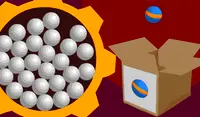
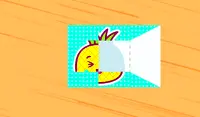
Each level contains a box that shows what the ball should look like. Your goal is to paint the ball to match that picture.

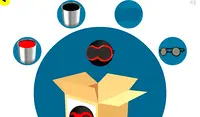
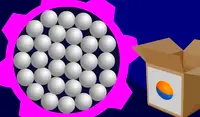
Click on a white ball from the batch and drag it over the different accessories in the smaller circles to put them on the ball. If you drag the ball into a paint bucket, it will get painted.

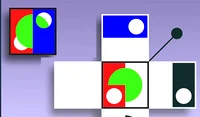
Use accessories such as belts and hats to create the design shown on the box. When you are finished using an accessory, drag the ball back to where the accessory was to remove it. You can layer accessories on top of each other as the designs get more complex!

If you mess up, you can drag your ball to the recycling bin at the bottom of the screen to put it back in the batch and grab a new ball.

प्रत्येक स्तर में एक बॉक्स होता है जो दिखाता है कि गेंद कैसी दिखनी चाहिए। आपका लक्ष्य गेंद को उस चित्र के अनुसार रंगना है।

दिए गए सफेद गेंदों में से किसी एक पर क्लिक करें और उसे छोटे गोल घेरों में मौजूद अलग-अलग एक्सेसरीज़ के ऊपर खींचें ताकि वे गेंद पर लग जाएं। अगर आप गेंद को पेंट की बाल्टी में खींचेंगे, तो वह रंग जाएगी।

बॉक्स पर दिखाए गए डिज़ाइन को बनाने के लिए बेल्ट और टोपी जैसे एक्सेसरीज़ का इस्तेमाल करें। एक्सेसरी का इस्तेमाल पूरा होने पर, उसे हटाने के लिए गेंद को वापस उसी जगह पर खींचें जहाँ वह पहले थी। जैसे-जैसे डिज़ाइन जटिल होते जाते हैं, आप एक्सेसरीज़ को एक के ऊपर एक करके लगा सकते हैं!

अगर आपसे कोई गलती हो जाती है, तो आप अपनी गेंद को स्क्रीन के नीचे स्थित रीसाइक्लिंग बिन में खींचकर वापस बैच में डाल सकते हैं और एक नई गेंद ले सकते हैं।

शैली:
रेटिंग:
Rating Star4.4 / 5(4,547 वोट)
अद्यतन:
Apr 09, 2026
मुक्त करना:
Dec 13, 2012
प्लेटफार्म:
Browser

निर्देश

Each level contains a box that shows what the ball should look like. Your goal is to paint the ball to match that picture.

Click on a white ball from the batch and drag it over the different accessories in the smaller circles to put them on the ball. If you drag the ball into a paint bucket, it will get painted.

Use accessories such as belts and hats to create the design shown on the box. When you are finished using an accessory, drag the ball back to where the accessory was to remove it. You can layer accessories on top of each other as the designs get more complex!

If you mess up, you can drag your ball to the recycling bin at the bottom of the screen to put it back in the batch and grab a new ball.

प्रत्येक स्तर में एक बॉक्स होता है जो दिखाता है कि गेंद कैसी दिखनी चाहिए। आपका लक्ष्य गेंद को उस चित्र के अनुसार रंगना है।

दिए गए सफेद गेंदों में से किसी एक पर क्लिक करें और उसे छोटे गोल घेरों में मौजूद अलग-अलग एक्सेसरीज़ के ऊपर खींचें ताकि वे गेंद पर लग जाएं। अगर आप गेंद को पेंट की बाल्टी में खींचेंगे, तो वह रंग जाएगी।

बॉक्स पर दिखाए गए डिज़ाइन को बनाने के लिए बेल्ट और टोपी जैसे एक्सेसरीज़ का इस्तेमाल करें। एक्सेसरी का इस्तेमाल पूरा होने पर, उसे हटाने के लिए गेंद को वापस उसी जगह पर खींचें जहाँ वह पहले थी। जैसे-जैसे डिज़ाइन जटिल होते जाते हैं, आप एक्सेसरीज़ को एक के ऊपर एक करके लगा सकते हैं!

अगर आपसे कोई गलती हो जाती है, तो आप अपनी गेंद को स्क्रीन के नीचे स्थित रीसाइक्लिंग बिन में खींचकर वापस बैच में डाल सकते हैं और एक नई गेंद ले सकते हैं।

4.4 Rating Star
4,547
वोट