










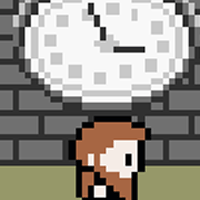


A Clockmaker's Tale












Instructions
Tap A to start the game. Tap the on-screen Arrow Pad to move. Tap A to go through dialogue and interact with people or objects.
Your goal is to restore the grand city clock before darkness swallows the town! Explore the forest and restore the other clocks to find the missing pieces.
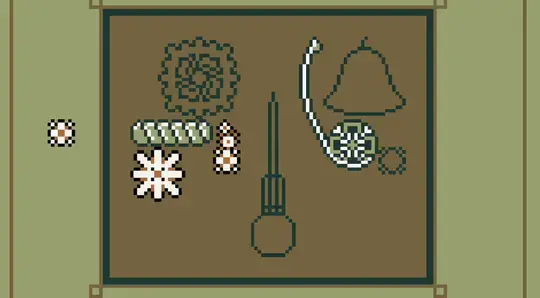
When fixing a clock, use the on-screen Arrow Pad to move your cursor. To pick up an object, tap A. Move the object into the proper outline to restore the clock.
Press ENTER to start the game. Use the Arrow Keys or WASD to move. Press Z to go through dialogue and interact with people or objects.
Your goal is to restore the grand city clock before darkness swallows the town! Explore the forest and restore the other clocks to find the missing pieces.
When fixing a clock, use the Arrow Keys or WASD to move your cursor. To pick up an object, press Z. Move the object into the proper outline to restore the clock.
How to play A Clockmaker's Tale on your phone
Did you know you can also play A Clockmaker's Tale on your phone? It’s a great way to play without worrying about losing your save data.
For iOS devices, simply tap the "Share" icon  in Safari and select "Add to Home Screen". For Android devices, tap the “Menu” icon
  and select "Install App".
Game Progress


Instructions
Tap A to start the game. Tap the on-screen Arrow Pad to move. Tap A to go through dialogue and interact with people or objects.
Your goal is to restore the grand city clock before darkness swallows the town! Explore the forest and restore the other clocks to find the missing pieces.
When fixing a clock, use the on-screen Arrow Pad to move your cursor. To pick up an object, tap A. Move the object into the proper outline to restore the clock.
How to play A Clockmaker's Tale on your phone
To play A Clockmaker's Tale easily any time, you can add it directly to your phone as an app. It’s a great way to play without worrying about losing your game save data.
For iOS devices, simply tap the "Share" icon in Safari and select "Add to Home Screen". For Android devices, tap the “Menu” icon and select "Install App".

Votes