










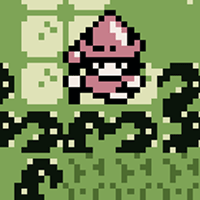


Deep Forest Chapter 2
You'll Also Like










Instructions
Use the on-screen arrows to move. Interact with the environment and talk to characters by tapping the A button. Press START to open your menu. When the menu is open, you can see the items in your inventory. If you're stuck, you can press A to get a hint on what to do next. Once you are finished with the menu, press B to close it.
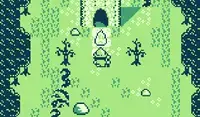
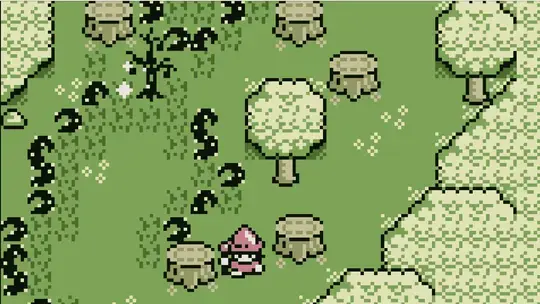
Your goal is to find the evil lurking in the forest and restore harmony in the village! You'll need the help of some villagers to cut down the vines that block your path. You may also need to collect items to give to the villagers so they can help you on your quest.
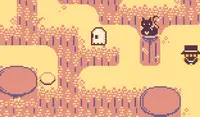
In this adventure, you'll come across King, a crow who can help you find hidden items! Press B to call him in an area and use the directional keys to help King find the hidden item in the area.
Use the Arrow Keys or WASD to move. Interact with the environment and talk to characters using J or Z. Your goal is to find the evil lurking in the forest and restore harmony in the village! You'll need the help of some villagers to cut down the vines that block your path. You may also need to collect items to give to the villagers so they can help you on your quest.
In this adventure, you'll come across King, a crow who can help you find hidden items! Press K or X to call him in an area and use the directional keys to help King find the hidden item in the area.
Press ENTER to open your menu. When the menu is open, you can see the items in your inventory. If you're stuck, you can press Z or J while looking at the menu to get a hint on what to do next. Once you're finished with the menu, press K or X to close it.
How to play Deep Forest Chapter 2 on your phone
Did you know you can also play Deep Forest Chapter 2 on your phone? It’s a great way to play without worrying about losing your save data.
For iOS devices, simply tap the "Share" icon  in Safari and select "Add to Home Screen". For Android devices, tap the “Menu” icon
  and select "Install App".
Game Progress


You'll Also Like
Instructions
Use the on-screen arrows to move. Interact with the environment and talk to characters by tapping the A button. Press START to open your menu. When the menu is open, you can see the items in your inventory. If you're stuck, you can press A to get a hint on what to do next. Once you are finished with the menu, press B to close it.
Your goal is to find the evil lurking in the forest and restore harmony in the village! You'll need the help of some villagers to cut down the vines that block your path. You may also need to collect items to give to the villagers so they can help you on your quest.
In this adventure, you'll come across King, a crow who can help you find hidden items! Press B to call him in an area and use the directional keys to help King find the hidden item in the area.
How to play Deep Forest Chapter 2 on your phone
To play Deep Forest Chapter 2 easily any time, you can add it directly to your phone as an app. It’s a great way to play without worrying about losing your game save data.
For iOS devices, simply tap the "Share" icon in Safari and select "Add to Home Screen". For Android devices, tap the “Menu” icon and select "Install App".

Votes