













ENABLE







 4.6 / 5(581 Votes)
Instructions
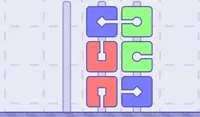
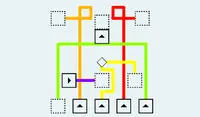
To open the door, you must slide each block into place. Tap on a block and it will slide down the lined path to its designated spot. Once all blocks are in their proper places, the door will open! Tap on the door to move to the next level.
Blocks can't collide with each other - so plan each move carefully!
In later levels, spikes will appear on the paths. Each time a block moves, some spikes will disappear while others reappear. So if the spike was visible, it will lower into the hole and vice versa.
If you want to restart the level, tap on the arrow in the upper right corner of the screen.
To open the door, you must slide each block into place. Click on a block and it will slide down the lined path to its designated spot. Once all blocks are in their proper places, the door will open! Click on the door to move to the next level.
Blocks can't collide with each other - so plan each move carefully!
In later levels, spikes will appear on the paths. Each time a block moves, some spikes will disappear while others reappear. So if the spike was visible, it will lower into the hole and vice versa.
If you want to restart the level, click on the arrow in the upper right corner of the screen.
How to play ENABLE on your phone
Did you know you can also play ENABLE on your phone? It’s a great way to play without worrying about losing your save data.
For iOS devices, simply tap the "Share" icon  in Safari and select "Add to Home Screen". For Android devices, tap the “Menu” icon
  and select "Install App".

Game Progress

 4.6 / 5(581 Votes)
Instructions
To open the door, you must slide each block into place. Tap on a block and it will slide down the lined path to its designated spot. Once all blocks are in their proper places, the door will open! Tap on the door to move to the next level.
Blocks can't collide with each other - so plan each move carefully!
In later levels, spikes will appear on the paths. Each time a block moves, some spikes will disappear while others reappear. So if the spike was visible, it will lower into the hole and vice versa.
If you want to restart the level, tap on the arrow in the upper right corner of the screen.
How to play ENABLE on your phone
To play ENABLE easily any time, you can add it directly to your phone as an app. It’s a great way to play without worrying about losing your game save data.
For iOS devices, simply tap the "Share" icon in Safari and select "Add to Home Screen". For Android devices, tap the “Menu” icon and select "Install App".
Votes