













Maze 3D














Instructions
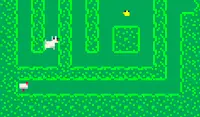
You're lost in the 3D maze. Roll your way to the exit! Swipe to move. Tap on the eye icon at the bottom left of the screen, then drag the on-screen joystick at the bottom right to move the camera and take a peek at the other sides of the cube. Use this to try and find the path to the exit.
The further you progress, the levels go from simple mazes to mind-bending labyrinths.
Solved every level and want a new challenge? Try the Random levels. Every time you load into one, it's never the same!
You're lost in the 3D maze. Roll your way to the exit! Move with WASD or the Arrow Keys. Click on the eye icon at the bottom left of the screen, then Left Click & Drag the joystick at the bottom right to move the camera and take a peek at the other sides of the cube. Use this to try and find the path to the exit.
The further you progress, the levels go from simple mazes to mind-bending labyrinths.
Solved every level and want a new challenge? Try the Random levels. Every time you load into one, it's never the same!
How to play Maze 3D on your phone
Did you know you can also play Maze 3D on your phone? It’s a great way to play without worrying about losing your save data.
For iOS devices, simply tap the "Share" icon  in Safari and select "Add to Home Screen". For Android devices, tap the “Menu” icon
  and select "Install App".

Game Progress


Instructions
You're lost in the 3D maze. Roll your way to the exit! Swipe to move. Tap on the eye icon at the bottom left of the screen, then drag the on-screen joystick at the bottom right to move the camera and take a peek at the other sides of the cube. Use this to try and find the path to the exit.
The further you progress, the levels go from simple mazes to mind-bending labyrinths.
Solved every level and want a new challenge? Try the Random levels. Every time you load into one, it's never the same!
How to play Maze 3D on your phone
To play Maze 3D easily any time, you can add it directly to your phone as an app. It’s a great way to play without worrying about losing your game save data.
For iOS devices, simply tap the "Share" icon in Safari and select "Add to Home Screen". For Android devices, tap the “Menu” icon and select "Install App".

Votes