









Mini Crossword icon

Mini Crossword

Genre:
Rating:
Rating Star3.7 / 5(907 Votes)
Updated:
Nov 11, 2025
Release:
Nov 11, 2025
Platforms:
Browser, Mobile

Instructions

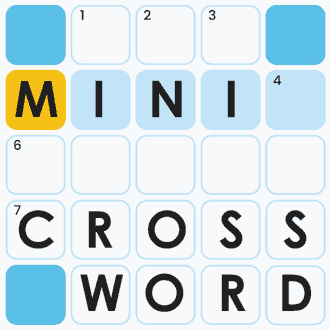
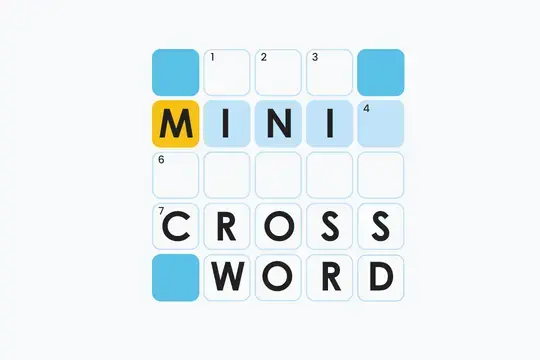
Challenge yourself with these tiny crossword puzzles! Tap any tile to select it, then tap again to switch between rows or columns. The empty white boxes need to be filled in, while the blue ones do not. Use the clues above the onscreen keyboard to solve the puzzles.

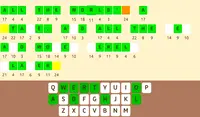
Once you've typed in a word, press Enter to submit it. If it is correct, all the letters will turn green. If it is incorrect, they will turn red and disappear, then you can try again.

Use the toggle in the top right corner of the screen to change the look of the game between dark mode and light mode.

TIP: If you're having trouble figuring the puzzle out, you can reveal up to three letters by tapping the light bulb icon in the top left of the screen.

Challenge yourself with these tiny crossword puzzles! Click on any tile to select it, then click again to switch between rows or columns. The empty white boxes need to be filled in, while the blue ones do not. Use the clues above the onscreen keyboard to solve the puzzles.

Once you've typed in a word, press Enter to submit it. If it is correct, all the letters will turn green. If it is incorrect, they will turn red and disappear, then you can try again.

Use the toggle in the top right corner of the screen to change the look of the game between dark mode and light mode.

TIP: If you're having trouble figuring the puzzle out, you can reveal up to three letters by clicking the light bulb icon in the top left of the screen.
Game Progress

0 XP
Genre:
Rating:
Rating Star3.7 / 5(907 Votes)
Updated:
Nov 11, 2025
Release:
Nov 11, 2025
Platforms:
Browser, Mobile

Instructions

Challenge yourself with these tiny crossword puzzles! Tap any tile to select it, then tap again to switch between rows or columns. The empty white boxes need to be filled in, while the blue ones do not. Use the clues above the onscreen keyboard to solve the puzzles.

Once you've typed in a word, press Enter to submit it. If it is correct, all the letters will turn green. If it is incorrect, they will turn red and disappear, then you can try again.

Use the toggle in the top right corner of the screen to change the look of the game between dark mode and light mode.

TIP: If you're having trouble figuring the puzzle out, you can reveal up to three letters by tapping the light bulb icon in the top left of the screen.

Challenge yourself with these tiny crossword puzzles! Click on any tile to select it, then click again to switch between rows or columns. The empty white boxes need to be filled in, while the blue ones do not. Use the clues above the onscreen keyboard to solve the puzzles.

Once you've typed in a word, press Enter to submit it. If it is correct, all the letters will turn green. If it is incorrect, they will turn red and disappear, then you can try again.

Use the toggle in the top right corner of the screen to change the look of the game between dark mode and light mode.

TIP: If you're having trouble figuring the puzzle out, you can reveal up to three letters by clicking the light bulb icon in the top left of the screen.

3.7 Rating Star
907
Votes