










My Video Studio







Instructions
Act 1: Freelance Video Editor
Start your career as a freelance editor for a video channel. Work hard until you earn $2000, enough to start your own channel. Your ultimate goal: Reach 1 million subscribers.
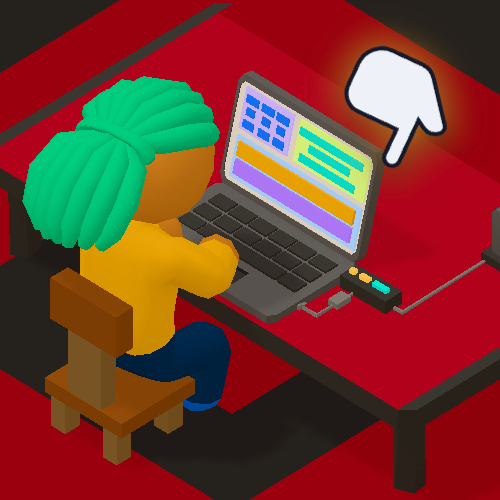
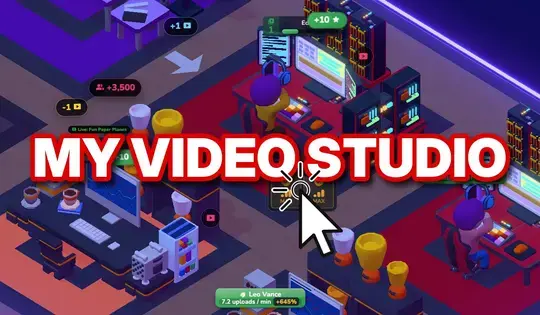
Tap the desk to edit videos. Every tap adds to the progress bar above your character. You earn Stars for every completed video. The number of Stars you have appears in green above the Upgrades panel at the bottom of the screen. If you want to take a closer look, pinch to zoom in or out.
Publish the number of videos shown in the top left corner of the screen to complete a month. Every time a month ends, it's payday! Assemble your pay stub correctly to advance to the next month.
Upgrades
Spend Stars on upgrades to maximize your productivity. Tap on upgrades to buy them. The upgrades include:
- Keyboard Shortcuts: Each tap fills more of the bar.
- Inspiration: Makes an idea bubble pop up now and then. Tap it and the bar fills by itself for a bit.
- Lucky Break: Gives each tap's effect a chance to be multiplied 5x.
- Barista Boost: Brings you a coffee now and then. Tap the coffee, and tap rapidly on the pop-up. Thanks to the caffeine boost, your taps fill the bar up to 3 times faster for a few seconds.
- Automation: Fills the progress bar every few seconds without requiring taps.
Assembling Pay Stubs
Payday comes at the end of each month. Every payday, you have to assemble your own pay stub (later in the game, you will manage your employees' pay stubs). Drag each line item from the Payroll Handbook on the left onto the correct section of the pay stub. When every line is in place, tap Confirm & Stamp. (Be careful not to make mistakes, because it will cost you Stars!)
Part of your Net Income goes to Savings. Once you save $2,000, the first act will end, and Act 2 will begin: you quit your job and start your own studio.
Gear Money / Business Cash
In Act 1, your total gear money is shown under the "Gear Money" label at the top right of the screen. In Act 2, Gear Money is renamed to "Business Cash". Spend Gear Money to upgrade your desk setup. One very useful upgrade lets you press and hold the desk instead of tapping.
Act 2: Your Own Studio
Once you save $2,000, you'll quit your job and open your own studio. Now your goal is to reach 1,000,000 subscribers! Published videos earn business cash and increase subscriber count, which gets you closer to your goal.
These are the steps to publishing videos:
1. Write the script
2. Act for the footage
3. Edit the footage
4. Publish the edited videos
Each step has a corresponding desk in your studio. Tap a desk to work there. Each desk can also be upgraded with your Business Cash and Stars. This is a lot of work for one person, so the best thing you can do is...
Hire Studio Workers
Tap "Hire" on the left side of the screen to hire people at any time. A hiring screen also opens at the end of each month. Each hire costs money up front, and you will also pay them their monthly wages or salaries. There are three levels of new hires: Junior, Mid-level, and Senior.
Paying Studio Workers
You're the boss now, so at the end of each month you have to assemble pay stubs for each worker. Pay stubs now have four sections:
- Earnings: Regular hours, overtime hours or monthly salary.
- Pre-tax Deductions: The worker's 401(k), a retirement savings account.
- Taxes: Social Security, Medicare, federal income tax and state income tax.
- Paid by the Studio: Health insurance. The studio pays for it, so it doesn't come out of the worker's pay.
Employee Requests
Your workers may request benefits, like health insurance or a 401(k) contribution, or even a raise. Saying yes makes that worker happier and more productive. Your workers remember what you say, and how they feel counts on your final report card.
Once you reach 1,000,000 subscribers, congratulations, you've completed the game! You'll receive a report card that gives you a grade based on the following criteria:
- Speed: How quickly you reached 1,000,000 subscribers.
- Pay stub accuracy: How many times you made mistakes when assembling pay stubs
- Worker happiness: How many of your workers' requests you said yes to.
After that, you can keep playing and try for 2,000,000 subscribers, or start a new run from scratch.
Glossary
If you need to learn more about the new financial literacy terms in the game, tap the book icon in the bottom left to see a list of all the financial literacy concepts in the game. You can also tap on any underlined words to see their definitions.
Act 1: Freelance Video Editor
Start your career as a freelance editor for a video channel. Work hard until you earn $2000, enough to start your own channel. Your ultimate goal: Reach 1 million subscribers.
Click the desk to edit videos. Every click adds to the progress bar above your character. You earn Stars for every completed video. The number of Stars you have appears in green above the Upgrades panel at the bottom of the screen. Use your mousewheel or two-finger zoom on your trackpad to zoom in and out.
Publish the number of videos shown in the top left corner of the screen to complete a month. Every time a month ends, it's payday! Assemble your pay stub correctly to advance to the next month.
Upgrades
Spend Stars on upgrades to maximize your productivity. Click on upgrades to buy them. The upgrades include:
- Keyboard Shortcuts: Each click fills more of the bar.
- Inspiration: Makes an idea bubble pop up now and then. Click it and the bar fills by itself for a bit.
- Lucky Break: Gives each click's effect a chance to be multiplied 5x.
- Barista Boost: Brings you a coffee now and then. Click the coffee, and click rapidly on the pop-up. Thanks to the caffeine boost, your clicks fill the bar up to 3 times faster for a few seconds.
- Automation: Fills the progress bar every few seconds without requiring clicks.
Assembling Pay Stubs
Payday comes at the end of each month. Every payday, you have to assemble your own pay stub (later in the game, you will manage your employees' pay stubs). Click and drag each line item from the Payroll Handbook on the left onto the correct section of the pay stub. When every line is in place, click Confirm & Stamp. (Be careful not to make mistakes, because it will cost you Stars!)
Part of your Net Income goes to Savings. Once you save $2,000, the first act will end, and Act 2 will begin: you quit your job and start your own studio.
Gear Money / Business Cash
In Act 1, your total gear money is shown under the "Gear Money" label at the top right of the screen. In Act 2, Gear Money is renamed to "Business Cash". Spend Gear Money to upgrade your desk setup. One very useful upgrade lets you press and hold the desk instead of clicking.
Act 2: Your Own Studio
Once you save $2,000, you'll quit your job and open your own studio. Now your goal is to reach 1,000,000 subscribers! Published videos earn business cash and increase subscriber count, which gets you closer to your goal.
These are the steps to publishing videos:
1. Write the script
2. Act for the footage
3. Edit the footage
4. Publish the edited videos
Each step has a corresponding desk in your studio. Click a desk to work there. Each desk can also be upgraded with your Business Cash and Stars. This is a lot of work for one person, so the best thing you can do is...
Hire Studio Workers
Click "Hire" on the left side of the screen to hire people at any time. A hiring screen also opens at the end of each month. Each hire costs money up front, and you will also pay them their monthly wages or salaries. There are three levels of new hires: Junior, Mid-level, and Senior.
Paying Studio Workers
You're the boss now, so at the end of each month you have to assemble pay stubs for each worker. Pay stubs now have four sections:
- Earnings: Regular hours, overtime hours or monthly salary.
- Pre-tax Deductions: The worker's 401(k), a retirement savings account.
- Taxes: Social Security, Medicare, federal income tax and state income tax.
- Paid by the Studio: Health insurance. The studio pays for it, so it doesn't come out of the worker's pay.
Employee Requests
Your workers may request benefits, like health insurance or a 401(k) contribution, or even a raise. Saying yes makes that worker happier and more productive. Your workers remember what you say, and how they feel counts on your final report card.
Once you reach 1,000,000 subscribers, congratulations, you've completed the game! You'll receive a report card that gives you a grade based on the following criteria:
- Speed: How quickly you reached 1,000,000 subscribers.
- Pay stub accuracy: How many times you made mistakes when assembling pay stubs
- Worker happiness: How many of your workers' requests you said yes to.
After that, you can keep playing and try for 2,000,000 subscribers, or start a new run from scratch.
Glossary
If you need to learn more about the new financial literacy terms in the game, click the book icon in the bottom left to see a list of all the financial literacy concepts in the game. You can also click on any underlined words to see their definitions.
How to play My Video Studio on your phone
Did you know you can also play My Video Studio on your phone? It’s a great way to play without worrying about losing your save data.
For iOS devices, simply tap the "Share" icon  in Safari and select "Add to Home Screen". For Android devices, tap the “Menu” icon
 and select "Install App".
Game Progress


Instructions
Act 1: Freelance Video Editor
Start your career as a freelance editor for a video channel. Work hard until you earn $2000, enough to start your own channel. Your ultimate goal: Reach 1 million subscribers.
Tap the desk to edit videos. Every tap adds to the progress bar above your character. You earn Stars for every completed video. The number of Stars you have appears in green above the Upgrades panel at the bottom of the screen. If you want to take a closer look, pinch to zoom in or out.
Publish the number of videos shown in the top left corner of the screen to complete a month. Every time a month ends, it's payday! Assemble your pay stub correctly to advance to the next month.
Upgrades
Spend Stars on upgrades to maximize your productivity. Tap on upgrades to buy them. The upgrades include:
- Keyboard Shortcuts: Each tap fills more of the bar.
- Inspiration: Makes an idea bubble pop up now and then. Tap it and the bar fills by itself for a bit.
- Lucky Break: Gives each tap's effect a chance to be multiplied 5x.
- Barista Boost: Brings you a coffee now and then. Tap the coffee, and tap rapidly on the pop-up. Thanks to the caffeine boost, your taps fill the bar up to 3 times faster for a few seconds.
- Automation: Fills the progress bar every few seconds without requiring taps.
Assembling Pay Stubs
Payday comes at the end of each month. Every payday, you have to assemble your own pay stub (later in the game, you will manage your employees' pay stubs). Drag each line item from the Payroll Handbook on the left onto the correct section of the pay stub. When every line is in place, tap Confirm & Stamp. (Be careful not to make mistakes, because it will cost you Stars!)
Part of your Net Income goes to Savings. Once you save $2,000, the first act will end, and Act 2 will begin: you quit your job and start your own studio.
Gear Money / Business Cash
In Act 1, your total gear money is shown under the "Gear Money" label at the top right of the screen. In Act 2, Gear Money is renamed to "Business Cash". Spend Gear Money to upgrade your desk setup. One very useful upgrade lets you press and hold the desk instead of tapping.
Act 2: Your Own Studio
Once you save $2,000, you'll quit your job and open your own studio. Now your goal is to reach 1,000,000 subscribers! Published videos earn business cash and increase subscriber count, which gets you closer to your goal.
These are the steps to publishing videos:
1. Write the script
2. Act for the footage
3. Edit the footage
4. Publish the edited videos
Each step has a corresponding desk in your studio. Tap a desk to work there. Each desk can also be upgraded with your Business Cash and Stars. This is a lot of work for one person, so the best thing you can do is...
Hire Studio Workers
Tap "Hire" on the left side of the screen to hire people at any time. A hiring screen also opens at the end of each month. Each hire costs money up front, and you will also pay them their monthly wages or salaries. There are three levels of new hires: Junior, Mid-level, and Senior.
Paying Studio Workers
You're the boss now, so at the end of each month you have to assemble pay stubs for each worker. Pay stubs now have four sections:
- Earnings: Regular hours, overtime hours or monthly salary.
- Pre-tax Deductions: The worker's 401(k), a retirement savings account.
- Taxes: Social Security, Medicare, federal income tax and state income tax.
- Paid by the Studio: Health insurance. The studio pays for it, so it doesn't come out of the worker's pay.
Employee Requests
Your workers may request benefits, like health insurance or a 401(k) contribution, or even a raise. Saying yes makes that worker happier and more productive. Your workers remember what you say, and how they feel counts on your final report card.
Once you reach 1,000,000 subscribers, congratulations, you've completed the game! You'll receive a report card that gives you a grade based on the following criteria:
- Speed: How quickly you reached 1,000,000 subscribers.
- Pay stub accuracy: How many times you made mistakes when assembling pay stubs
- Worker happiness: How many of your workers' requests you said yes to.
After that, you can keep playing and try for 2,000,000 subscribers, or start a new run from scratch.
Glossary
If you need to learn more about the new financial literacy terms in the game, tap the book icon in the bottom left to see a list of all the financial literacy concepts in the game. You can also tap on any underlined words to see their definitions.
How to play My Video Studio on your phone
To play My Video Studio easily any time, you can add it directly to your phone as an app. It’s a great way to play without worrying about losing your game save data.
For iOS devices, simply tap the "Share" icon in Safari and select "Add to Home Screen". For Android devices, tap the “Menu” icon and select "Install App".