













Overwords: Infinity



 3.8 / 5(238 Votes)
Instructions
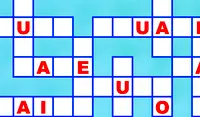
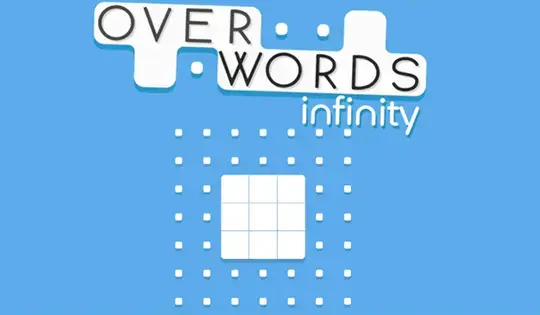
Fill in the grid with as many words as you can! At the bottom of the screen is a list of words to be placed in the grid. Tap the word you want to place, then drag on the grid to spell out the word. Each letter you put into the grid adds points to the meter at the top of the screen. When that meter fills, tap on one of the dots in the grid to turn it into a square to get more space for words!
To save some space, put in words that share the same letters. When spelling a word on the grid, try to spell out words that overlap with the same letters. When you overlap the letters, the letters on the grid will turn blue. When you overlap the letters again, you'll free up those squares to use again!
Fill in the grid with as many words as you can! At the bottom of the screen is a list of words to be placed in the grid. Click on the word you want to place, then click and drag on the grid to spell out the word. Each letter you put into the grid adds points to the meter at the top of the screen. When that meter fills, click on one of the dots in the grid to turn it into a square to get more space for words!
To save some space, put in words that share the same letters. When spelling a word on the grid, try to spell out words that overlap with the same letters. When you overlap the letters, the letters on the grid will turn blue. When you overlap the letters again, you'll free up those squares to use again!
How to play Overwords: Infinity on your phone
Did you know you can also play Overwords: Infinity on your phone? It’s a great way to play without worrying about losing your save data.
For iOS devices, simply tap the "Share" icon  in Safari and select "Add to Home Screen". For Android devices, tap the “Menu” icon
  and select "Install App".
Game Progress

 3.8 / 5(238 Votes)
Instructions
Fill in the grid with as many words as you can! At the bottom of the screen is a list of words to be placed in the grid. Tap the word you want to place, then drag on the grid to spell out the word. Each letter you put into the grid adds points to the meter at the top of the screen. When that meter fills, tap on one of the dots in the grid to turn it into a square to get more space for words!
To save some space, put in words that share the same letters. When spelling a word on the grid, try to spell out words that overlap with the same letters. When you overlap the letters, the letters on the grid will turn blue. When you overlap the letters again, you'll free up those squares to use again!
How to play Overwords: Infinity on your phone
To play Overwords: Infinity easily any time, you can add it directly to your phone as an app. It’s a great way to play without worrying about losing your game save data.
For iOS devices, simply tap the "Share" icon in Safari and select "Add to Home Screen". For Android devices, tap the “Menu” icon and select "Install App".
Votes