Sorry... this game is not playable in your browser.

This Flash game is currently not playable in your browser, but we're working on a fix! Come back regularly to see if it's ready to play.
Most browsers no longer support Flash. Affected games are indicated by


Pirate Battle: Ships Ahoy!

Game content reviewed byPao Salcedo
Instructions
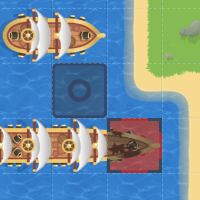
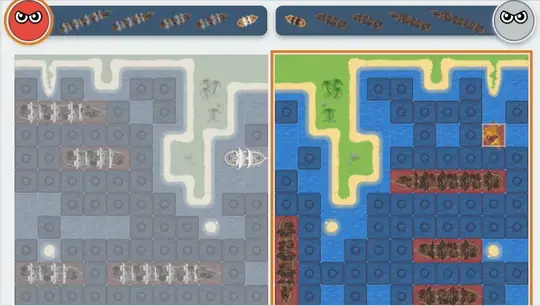
Take on the seas against a random opponent, friend, or computer in Pirate Battle Ships Ahoy. When starting a match, tap and drag your ships onto the water to place them. Tap your ship if you want to rotate it. Once you've finished setting up your ships, tap "I'm ready" to start!
When it's your turn, tap on the water tile you want to fire at.
If you hit a part of your opponent's ship, you can fire again! If you get a miss, it's your opponent's turn.
Take on the seas against a random opponent, friend, or computer in Pirate Battle Ships Ahoy. When starting a match, left-click and drag your ships onto the water to place them. To rotate a ship, press R while holding the ship. Once you've finished setting up your ships, click "I'm ready" to start!
When it's your turn, use your mouse to decide where to fire. Left Click on the water tile you want to fire at.
If you hit a part of your opponent's ship, you can fire again! If you get a miss, it's your opponent's turn.
How to play Pirate Battle: Ships Ahoy! on your phone
Did you know you can also play Pirate Battle: Ships Ahoy! on your phone? It’s a great way to play without worrying about losing your save data.

For iOS devices, simply tap the "Share" icon
in Safari and select "Add to Home Screen". For Android devices, tap the “Menu” icon
and select "Install App".
Just a moment while your advertisement loads
Advertisement
Just a moment while your advertisement loads
Advertisement
Pirate Battle: Ships Ahoy!

Game content reviewed byPao Salcedo
Instructions
Take on the seas against a random opponent, friend, or computer in Pirate Battle Ships Ahoy. When starting a match, tap and drag your ships onto the water to place them. Tap your ship if you want to rotate it. Once you've finished setting up your ships, tap "I'm ready" to start!
When it's your turn, tap on the water tile you want to fire at.
If you hit a part of your opponent's ship, you can fire again! If you get a miss, it's your opponent's turn.
How to play Pirate Battle: Ships Ahoy! on your phone

To play Pirate Battle: Ships Ahoy! easily any time, you can add it directly to your phone as an app. It’s a great way to play without worrying about losing your game save data.

For iOS devices, simply tap the "Share" icon
in Safari and select "Add to Home Screen". For Android devices, tap the “Menu” icon
and select "Install App".
Take on the seas against a random opponent, friend, or computer in Pirate Battle Ships Ahoy. When starting a match, left-click and drag your ships onto the water to place them. To rotate a ship, press R while holding the ship. Once you've finished setting up your ships, click "I'm ready" to start!
When it's your turn, use your mouse to decide where to fire. Left Click on the water tile you want to fire at.
If you hit a part of your opponent's ship, you can fire again! If you get a miss, it's your opponent's turn.
Votes