













Point









 4.1 / 5(1,886 Votes)
Instructions
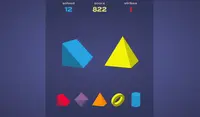
You have to find shapes hidden throughout the level. All of the arrows will point at the hidden shape! When you think you found it, tap to make a guess.
You have a certain number of incorrect guesses allowed in each level. You can see the number remaining in the top left corner. Try not to tap too many times or you'll have to restart the level!
HINT: If the arrows don't move, the shape is in one spot. If the arrows are moving, that means the shape is moving around the level.
You have to find shapes hidden throughout the level. All of the arrows will Point at the hidden shape! When you think you found it, Left Click to make a guess.
You have a certain number of incorrect guesses allowed in each level. You can see the number remaining in the top left corner. Try not to click too many times or you'll have to restart the level!
HINT: If the arrows don't move, the shape is in one spot. If the arrows are moving, that means the shape is moving around the level.
How to play Point on your phone
Did you know you can also play Point on your phone? It’s a great way to play without worrying about losing your save data.
For iOS devices, simply tap the "Share" icon  in Safari and select "Add to Home Screen". For Android devices, tap the “Menu” icon
  and select "Install App".

Game Progress

 4.1 / 5(1,886 Votes)
Instructions
You have to find shapes hidden throughout the level. All of the arrows will point at the hidden shape! When you think you found it, tap to make a guess.
You have a certain number of incorrect guesses allowed in each level. You can see the number remaining in the top left corner. Try not to tap too many times or you'll have to restart the level!
HINT: If the arrows don't move, the shape is in one spot. If the arrows are moving, that means the shape is moving around the level.
How to play Point on your phone
To play Point easily any time, you can add it directly to your phone as an app. It’s a great way to play without worrying about losing your game save data.
For iOS devices, simply tap the "Share" icon in Safari and select "Add to Home Screen". For Android devices, tap the “Menu” icon and select "Install App".
Votes