






Tap Out: Gallery


 4.6 / 5(549 Votes)
Instructions
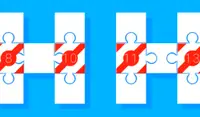
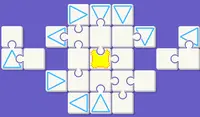
Remove the blocks to reveal the picture! Each block will have an arrow pointing in a different direction. Tap on a block that is pointing away from another square to slide it off the grid. If two blocks collide, you'll lose a heart. If you lose all three of your hearts, it's game over!
To zoom in, tap on the magnifying glass with the plus icon. To zoom out, tap on the magnifying glass with the subtraction sign. Drag on the screen to move the camera.
You can see the size of the drawing in the upper right corner of the drawing. Extra-large pictures have a LOT of blocks, and may require you to watch an ad first before starting the puzzle.
Remove the blocks to reveal the picture! Each block will have an arrow pointing in a different direction. Click on a block that is pointing away from another block to slide it off the grid. If two blocks collide, you'll lose a heart. If you lose all three of your hearts, it's game over!
To zoom in, click on the magnifying glass with the plus icon. To zoom out, click on the magnifying glass with the subtraction sign. Click on the screen and drag your mouse to move the camera.
You can see the size of the drawing in the upper right corner of the drawing. Extra-large pictures have a LOT of blocks, and may require you to watch an ad first before starting the puzzle.
How to play Tap Out: Gallery on your phone
Did you know you can also play Tap Out: Gallery on your phone? It’s a great way to play without worrying about losing your save data.
For iOS devices, simply tap the "Share" icon  in Safari and select "Add to Home Screen". For Android devices, tap the “Menu” icon
 and select "Install App".

Game Progress

 4.6 / 5(549 Votes)
Instructions
Remove the blocks to reveal the picture! Each block will have an arrow pointing in a different direction. Tap on a block that is pointing away from another square to slide it off the grid. If two blocks collide, you'll lose a heart. If you lose all three of your hearts, it's game over!
To zoom in, tap on the magnifying glass with the plus icon. To zoom out, tap on the magnifying glass with the subtraction sign. Drag on the screen to move the camera.
You can see the size of the drawing in the upper right corner of the drawing. Extra-large pictures have a LOT of blocks, and may require you to watch an ad first before starting the puzzle.
How to play Tap Out: Gallery on your phone
To play Tap Out: Gallery easily any time, you can add it directly to your phone as an app. It’s a great way to play without worrying about losing your game save data.
For iOS devices, simply tap the "Share" icon in Safari and select "Add to Home Screen". For Android devices, tap the “Menu” icon and select "Install App".
Votes