












Truck Master










Instructions
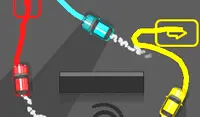
Steer the trucks in the right direction to pick up their loads without crashing! An orange warning sign indicates a truck is pulling into the lot. Each truck has a colored dot on top to show which loading spot it needs to go to. Loading spots will have a colorful dot on top of the orange line. Tap the truck, then drag to the same dot on the loading spot. Once you have connected the truck to that dot, release and watch the truck go!
Once the truck is parked, it will stay there for a few seconds to load up, indicated by the new circle on top of the truck. Once that circle fills up, that truck is ready to go! Tap the truck again and drag to draw a path to any exit area. You earn points based on how many trucks safely leave the lot.
If you hit an obstacle while drawing your path, your truck will stop, and you'll need to draw a new path for it to move. If your truck hits an obstacle, it will also stop. However, if two trucks crash, you're totaled! Trucks that are too close to each other will have an orange outline around them.
If you want to speed up the trucks, tap the Play button in the bottom left corner of the screen to make them go faster.
Steer the trucks in the right direction to pick up their loads without crashing! An orange warning sign indicates a truck is pulling into the lot. Each truck has a colored dot on top to show which loading spot it needs to go to. Loading spots will have a colorful dot on top of the orange line. Click the truck, then drag your mouse to the same dot on the loading spot. Once you have connected the truck to that dot, release and watch the truck go!
Once the truck is parked, it will stay there for a few seconds to load up, indicated by the new circle on top of the truck. Once that circle fills up, that truck is ready to go! Click the truck again and drag your mouse to draw a path to any exit area. You earn points based on how many trucks safely leave the lot.
If you hit an obstacle while drawing your path, your truck will stop, and you'll need to draw a new path for it to move. If your truck hits an obstacle, it will also stop. However, if two trucks crash, you're totaled! Trucks that are too close to each other will have an orange outline around them.
If you want to speed up the trucks, click the Play button in the bottom left corner of the screen to make them go faster.
How to play Truck Master on your phone
Did you know you can also play Truck Master on your phone? It’s a great way to play without worrying about losing your save data.
For iOS devices, simply tap the "Share" icon  in Safari and select "Add to Home Screen". For Android devices, tap the “Menu” icon
  and select "Install App".
Game Progress


Instructions
Steer the trucks in the right direction to pick up their loads without crashing! An orange warning sign indicates a truck is pulling into the lot. Each truck has a colored dot on top to show which loading spot it needs to go to. Loading spots will have a colorful dot on top of the orange line. Tap the truck, then drag to the same dot on the loading spot. Once you have connected the truck to that dot, release and watch the truck go!
Once the truck is parked, it will stay there for a few seconds to load up, indicated by the new circle on top of the truck. Once that circle fills up, that truck is ready to go! Tap the truck again and drag to draw a path to any exit area. You earn points based on how many trucks safely leave the lot.
If you hit an obstacle while drawing your path, your truck will stop, and you'll need to draw a new path for it to move. If your truck hits an obstacle, it will also stop. However, if two trucks crash, you're totaled! Trucks that are too close to each other will have an orange outline around them.
If you want to speed up the trucks, tap the Play button in the bottom left corner of the screen to make them go faster.
How to play Truck Master on your phone
To play Truck Master easily any time, you can add it directly to your phone as an app. It’s a great way to play without worrying about losing your game save data.
For iOS devices, simply tap the "Share" icon in Safari and select "Add to Home Screen". For Android devices, tap the “Menu” icon and select "Install App".

Votes