
Ad Notice
This game is exclusively available through a publisher who has built ads into the game files. Because of this, we are unable to remove the ads for subscribers, like we do for all the other pages of the site.








Upside Down







 4.1 / 5(1,303 Votes)
Instructions
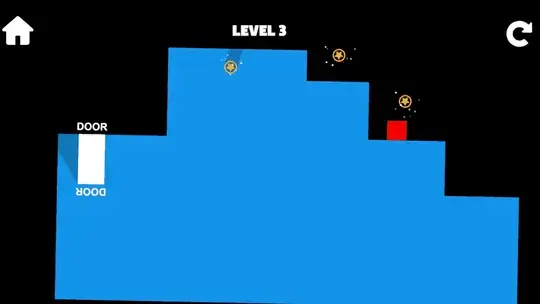
This is your average run and jump game... or is it? Your goal is to collect all the stars and get to the white door.
Use the onscreen arrow keys to move and jump around the level. Tap the onscreen Rotate button to rotate the world 180 degrees. You can now move around in the dark areas that were once impossible to pass through!
In later levels, you'll have to grab a key to unlock the door.
Don't fall or flip yourself onto the blue spikes... they hurt a lot.
Use the Arrow Keys to move and jump around the level. Your goal is to collect all the stars and reach the white door.
Press SHIFT to rotate the world 180 degrees. You can now move around in the dark areas that were once impossible to pass through!
Some levels will have a key you need to collect. Collecting the key will create a platform somewhere in the level. Sometimes this new platform will be obvious - other times you'll need to look carefully for it.
Don't fall or flip yourself onto the spikes... they hurt a lot!
How to play Upside Down on your phone
Did you know you can also play Upside Down on your phone? It’s a great way to play without worrying about losing your save data.
For iOS devices, simply tap the "Share" icon  in Safari and select "Add to Home Screen". For Android devices, tap the “Menu” icon
 and select "Install App".
Ad Notice
This game is exclusively available through a publisher who has built ads into the game files. Because of this, we are unable to remove the ads for subscribers, like we do for all the other pages of the site.
Game Progress

 4.1 / 5(1,303 Votes)
Instructions
This is your average run and jump game... or is it? Your goal is to collect all the stars and get to the white door.
Use the onscreen arrow keys to move and jump around the level. Tap the onscreen Rotate button to rotate the world 180 degrees. You can now move around in the dark areas that were once impossible to pass through!
In later levels, you'll have to grab a key to unlock the door.
Don't fall or flip yourself onto the blue spikes... they hurt a lot.
How to play Upside Down on your phone
To play Upside Down easily any time, you can add it directly to your phone as an app. It’s a great way to play without worrying about losing your game save data.
For iOS devices, simply tap the "Share" icon in Safari and select "Add to Home Screen". For Android devices, tap the “Menu” icon and select "Install App".
Votes