













Word Haven






 4.7 / 5(466 Votes)
Instructions
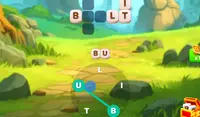
Connect the letters to form the words from the crossword! On the right side of the screen is a set of letters. Tap a letter and drag to connect other letters to form a word. Release to submit the word. You can tap the shuffle button below the letters to rearrange them.
As you play, you'll earn boosters to help you solve tough puzzles. Tap the magnifying glass to reveal a letter on the grid. Tap the lightbulb button to reveal a full word on the grid. These two boosters require coins to use. For every 10 levels you complete, you will earn coins and potentially get a free booster.
If you make a valid word, but it's not part of the puzzle, they count as a bonus word. When you form 20 bonus words, a red icon will appear on the star. Tap on the star to get a bonus gift!
Connect the letters to form the words from the crossword! On the right side of the screen is a set of letters. Click on a letter and drag your mouse to connect other letters to form a word. Release to submit the word. You can click on the shuffle button below the letters to rearrange them.
As you play, you'll earn boosters to help you solve tough puzzles. Click on the magnifying glass to reveal a letter on the grid. Click the lightbulb button to reveal a full word on the grid. These two boosters require coins to use. For every 10 levels you complete, you will earn coins and potentially get a free booster.
If you make a valid word, but it's not part of the puzzle, they count as a bonus word. When you form 20 bonus words, a red icon will appear on the star. Click on the star to get a bonus gift!
How to play Word Haven on your phone
Did you know you can also play Word Haven on your phone? It’s a great way to play without worrying about losing your save data.
For iOS devices, simply tap the "Share" icon  in Safari and select "Add to Home Screen". For Android devices, tap the “Menu” icon
  and select "Install App".

Game Progress

 4.7 / 5(466 Votes)
Instructions
Connect the letters to form the words from the crossword! On the right side of the screen is a set of letters. Tap a letter and drag to connect other letters to form a word. Release to submit the word. You can tap the shuffle button below the letters to rearrange them.
As you play, you'll earn boosters to help you solve tough puzzles. Tap the magnifying glass to reveal a letter on the grid. Tap the lightbulb button to reveal a full word on the grid. These two boosters require coins to use. For every 10 levels you complete, you will earn coins and potentially get a free booster.
If you make a valid word, but it's not part of the puzzle, they count as a bonus word. When you form 20 bonus words, a red icon will appear on the star. Tap on the star to get a bonus gift!
How to play Word Haven on your phone
To play Word Haven easily any time, you can add it directly to your phone as an app. It’s a great way to play without worrying about losing your game save data.
For iOS devices, simply tap the "Share" icon in Safari and select "Add to Home Screen". For Android devices, tap the “Menu” icon and select "Install App".
Votes