












Tune it Up!
Sie werden es auch mögen




Anweisungen
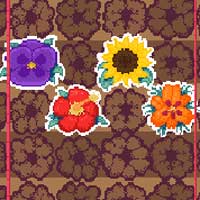
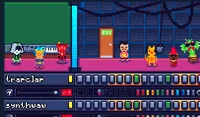
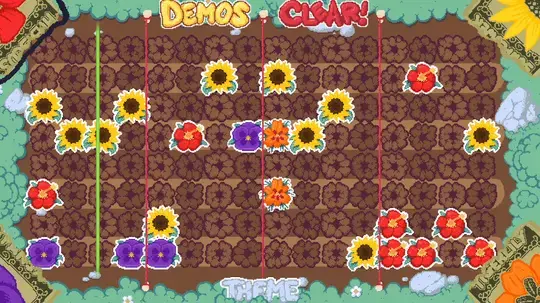
Drag a note from any of the four corners to place it. Each corner has a different image, which plays a different tone in your song. You can double tap on one of the corners to select that instrument. Then tap directly on the board to place a note. Tap any note to remove it.
To hear different styles of music, tap on the Theme button to switch between garden, space, and tea party!
While you make music, strange objects will float into the space. Tap on those to speed up or slow down the tempo or start a mini-game.
If you're looking for some inspiration, tap on the Demos button to hear a premade tune.
Click and drag a note from any of the four corners to place it. Each corner has a different image, which plays a different tone in your song. You can double click on one of the corners to select that instrument. Then click directly on the board to place a note. Right click any note to remove it.
To hear different styles of music, click on the Theme button to switch between garden, space, and tea party!
While you make music, strange objects will float into the space. Click on those to speed up or slow down the tempo or start a mini-game.
If you're looking for some inspiration, click on the Demos button to hear a premade tune.
So spielen Sie Tune it Up! auf Ihrem Handy
Wussten Sie, dass Sie Tune it Up! auch auf Ihrem Handy spielen können? Es ist eine großartige Möglichkeit zu spielen, ohne sich Gedanken über den Verlust Ihrer gespeicherten Daten machen zu müssen.
Tippen Sie bei iOS-Geräten einfach auf das Symbol "Aktie"  in Safari und wählen Sie "Zum Startbildschirm hinzufügen". Tippen Sie bei Android-Geräten auf das Symbol "Menü"
  und wählen Sie "App installieren“"
Spielfortschritt


Sie werden es auch mögen
Anweisungen
Drag a note from any of the four corners to place it. Each corner has a different image, which plays a different tone in your song. You can double tap on one of the corners to select that instrument. Then tap directly on the board to place a note. Tap any note to remove it.
To hear different styles of music, tap on the Theme button to switch between garden, space, and tea party!
While you make music, strange objects will float into the space. Tap on those to speed up or slow down the tempo or start a mini-game.
If you're looking for some inspiration, tap on the Demos button to hear a premade tune.
So spielen Sie Tune it Up! auf Ihrem Handy
Um Tune it Up! jederzeit einfach zu spielen, können Sie es direkt als App zu Ihrem Telefon hinzufügen. Es ist eine großartige Möglichkeit zu spielen, ohne sich Gedanken über den Verlust Ihrer Spielspeicherdaten machen zu müssen.
Tippen Sie bei iOS-Geräten einfach auf das Symbol "Aktie" in Safari und wählen Sie "Zum Startbildschirm hinzufügen". Tippen Sie bei Android-Geräten auf das Symbol "Menü" und wählen Sie "App installieren".

Stimmen