Siamo spiacenti... questo gioco non è riproducibile nel tuo browser.

Questo gioco Flash non è attualmente riproducibile nel tuo browser, ma stiamo lavorando a una soluzione! Torna regolarmente per vedere se è pronto per giocare.
La maggior parte dei browser non supporta più Flash. I giochi interessati sono indicati da


Fabled Conquerors 3: Thrones of Stone and Scale
Ti piacerà anche
Contenuti del gioco recensiti daAntonia Gates
Istruzioni
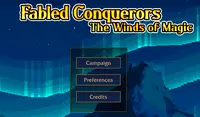
Another battle commences! To play story mode, click Campaign. Before starting a mission, choose from one of three difficulties to play on. Novice is the easiest, Commander is in the middle, and Tactician is the hardest difficulty. Your goal in each mission is to take over the opponent's castle!
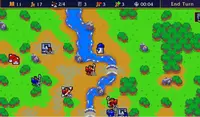
At the top of the screen are the following icons: number of turns passed, amount of gold you currently have, amount of strongholds you own, amount of units you have, amount of gold you gain and lose per turn. Use the Arrow Keys or WASD to move the camera. Press Z to zoom in and press X to zoom out.
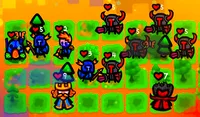
In each chapter, you start with a small set of units, each with a different skill set. Hover over each unit to see their class and abilities. To move your unit, click on it, and blue squares will appear. You can click on any of these squares to move your unit to that position. Once all your units have moved, click End Turn to continue.
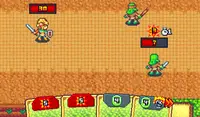
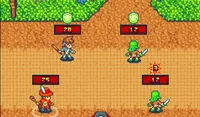
When your unit can move, it can also attack! Instead of clicking on a blue tile, click on a red tile with an enemy to attack them. The percentage that appears on the enemy before you click to attack is the chance of hitting the enemy. If it's green, that means your chances are high! If it's yellow or red, you're more likely to miss. When you defeat an enemy, your unit will gain experience, which will level them up and make them stronger.
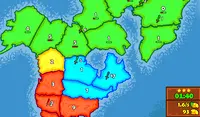
You can also capture strongholds to claim more land! Move next to a stronghold to prepare to claim it. When you are next to the stronghold, click on it to take it over. Some strongholds can be taken in one move, while others will have to be broken down, indicated by the number on the bottom of the stronghold. The more strongholds you take over, the more gold you'll receive. You can use gold to recruit more units.
To recruit units, click on the Recruit button at the top-left of the screen. If you have enough gold for your unit, press the Recruit button on the menu, and you can place your unit next to your castle. There are eight types of units you can get: Sword, Spear, Ranged, Cavalry, Mage, Monster, Aeronaut, and Giant. Each unit has its own set of strengths and weaknesses.
Keep an eye on the terrain tiles on the map. Forest tiles boost evasion, mountain tiles increase accuracy, and water tiles lower evasion. You can double-click or Right Click on a tile to see its properties and effects.
Every few turns, the time will change and will adjust the strength of the units. Stormguard, Primordial, and Aracanist units are stronger during the day, while Fallen and Beastmen units are stronger at night.
Finished with story mode and still wanting a challenge? Click on Skirmish in the main menu to make your own battle and choose which faction to play as and what map you'll battle on!
Un'altra battaglia ha inizio! Per giocare alla modalità storia, clicca su Campagna. Prima di iniziare una missione, scegli uno dei tre livelli di difficoltà. Novizio è il più facile, Comandante è intermedio e Tattico è il più difficile. Il tuo obiettivo in ogni missione è conquistare il castello dell'avversario!
Nella parte superiore dello schermo sono visualizzate le seguenti icone: numero di turni trascorsi, quantità di oro attualmente posseduta, numero di fortezze possedute, numero di unità possedute, quantità di oro guadagnata e persa per turno. Utilizza i tasti freccia o WASD per muovere la telecamera. Premi Z per ingrandire e X per rimpicciolire.
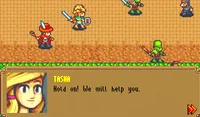
In ogni capitolo, inizi con un piccolo gruppo di unità, ognuna con un diverso set di abilità. Passa il mouse sopra ogni unità per visualizzarne la classe e le abilità. Per muovere la tua unità, cliccaci sopra e appariranno dei quadrati blu. Puoi cliccare su uno qualsiasi di questi quadrati per spostare la tua unità in quella posizione. Una volta che tutte le tue unità si sono mosse, clicca su "Termina turno" per continuare.
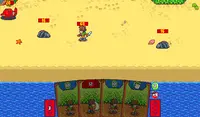
Quando la tua unità può muoversi, può anche attaccare! Invece di cliccare su una casella blu, clicca su una casella rossa con un nemico per attaccarlo. La percentuale che appare sul nemico prima di cliccare per attaccare indica la probabilità di colpirlo. Se è verde, significa che le tue probabilità sono alte! Se è gialla o rossa, è più probabile che tu manchi il bersaglio. Quando sconfiggi un nemico, la tua unità guadagnerà esperienza, che la farà salire di livello e la renderà più forte.
Puoi anche conquistare le fortezze per rivendicare più territori! Avvicinati a una fortezza per prepararti a conquistarla. Quando sei vicino alla fortezza, cliccaci sopra per prenderne il controllo. Alcune fortezze possono essere conquistate in una sola mossa, mentre altre dovranno essere smantellate, come indicato dal numero nella parte inferiore della fortezza. Più fortezze conquisti, più oro riceverai. Puoi usare l'oro per reclutare più unità.
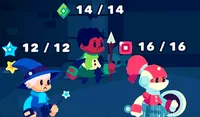
Per reclutare unità, clicca sul pulsante Recluta in alto a sinistra dello schermo. Se hai abbastanza oro per l'unità, premi il pulsante Recluta nel menu e potrai posizionare l'unità vicino al tuo castello. Ci sono otto tipi di unità che puoi ottenere: Spadaccino, Lanciere, Arciere, Cavalleria, Mago, Mostro, Aeronauta e Gigante. Ogni unità ha i suoi punti di forza e di debolezza.
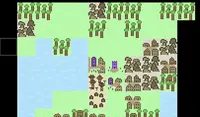
Presta attenzione alle tessere del terreno sulla mappa. Le tessere foresta aumentano l'elusione, le tessere montagna aumentano la precisione e le tessere acqua diminuiscono l'elusione. Puoi fare doppio clic o clic con il pulsante destro del mouse su una tessera per visualizzarne le proprietà e gli effetti.
Ogni pochi turni, l'ora cambierà e di conseguenza anche la forza delle unità. Le unità Stormguard, Primordiali e Aracaniste saranno più forti di giorno, mentre le unità Cadute e Uomini Bestia saranno più forti di notte.
Hai finito la modalità storia e cerchi ancora una sfida? Clicca su "Schermaglia" nel menu principale per creare la tua battaglia e scegliere la fazione con cui giocare e la mappa su cui combattere!
Just a moment while your advertisement loads
Annuncio
Just a moment while your advertisement loads
Annuncio
Ti piacerà anche
Contenuti del gioco recensiti daAntonia Gates
Istruzioni
Another battle commences! To play story mode, click Campaign. Before starting a mission, choose from one of three difficulties to play on. Novice is the easiest, Commander is in the middle, and Tactician is the hardest difficulty. Your goal in each mission is to take over the opponent's castle!
At the top of the screen are the following icons: number of turns passed, amount of gold you currently have, amount of strongholds you own, amount of units you have, amount of gold you gain and lose per turn. Use the Arrow Keys or WASD to move the camera. Press Z to zoom in and press X to zoom out.
In each chapter, you start with a small set of units, each with a different skill set. Hover over each unit to see their class and abilities. To move your unit, click on it, and blue squares will appear. You can click on any of these squares to move your unit to that position. Once all your units have moved, click End Turn to continue.
When your unit can move, it can also attack! Instead of clicking on a blue tile, click on a red tile with an enemy to attack them. The percentage that appears on the enemy before you click to attack is the chance of hitting the enemy. If it's green, that means your chances are high! If it's yellow or red, you're more likely to miss. When you defeat an enemy, your unit will gain experience, which will level them up and make them stronger.
You can also capture strongholds to claim more land! Move next to a stronghold to prepare to claim it. When you are next to the stronghold, click on it to take it over. Some strongholds can be taken in one move, while others will have to be broken down, indicated by the number on the bottom of the stronghold. The more strongholds you take over, the more gold you'll receive. You can use gold to recruit more units.
To recruit units, click on the Recruit button at the top-left of the screen. If you have enough gold for your unit, press the Recruit button on the menu, and you can place your unit next to your castle. There are eight types of units you can get: Sword, Spear, Ranged, Cavalry, Mage, Monster, Aeronaut, and Giant. Each unit has its own set of strengths and weaknesses.
Keep an eye on the terrain tiles on the map. Forest tiles boost evasion, mountain tiles increase accuracy, and water tiles lower evasion. You can double-click or Right Click on a tile to see its properties and effects.
Every few turns, the time will change and will adjust the strength of the units. Stormguard, Primordial, and Aracanist units are stronger during the day, while Fallen and Beastmen units are stronger at night.
Finished with story mode and still wanting a challenge? Click on Skirmish in the main menu to make your own battle and choose which faction to play as and what map you'll battle on!
Un'altra battaglia ha inizio! Per giocare alla modalità storia, clicca su Campagna. Prima di iniziare una missione, scegli uno dei tre livelli di difficoltà. Novizio è il più facile, Comandante è intermedio e Tattico è il più difficile. Il tuo obiettivo in ogni missione è conquistare il castello dell'avversario!
Nella parte superiore dello schermo sono visualizzate le seguenti icone: numero di turni trascorsi, quantità di oro attualmente posseduta, numero di fortezze possedute, numero di unità possedute, quantità di oro guadagnata e persa per turno. Utilizza i tasti freccia o WASD per muovere la telecamera. Premi Z per ingrandire e X per rimpicciolire.
In ogni capitolo, inizi con un piccolo gruppo di unità, ognuna con un diverso set di abilità. Passa il mouse sopra ogni unità per visualizzarne la classe e le abilità. Per muovere la tua unità, cliccaci sopra e appariranno dei quadrati blu. Puoi cliccare su uno qualsiasi di questi quadrati per spostare la tua unità in quella posizione. Una volta che tutte le tue unità si sono mosse, clicca su "Termina turno" per continuare.
Quando la tua unità può muoversi, può anche attaccare! Invece di cliccare su una casella blu, clicca su una casella rossa con un nemico per attaccarlo. La percentuale che appare sul nemico prima di cliccare per attaccare indica la probabilità di colpirlo. Se è verde, significa che le tue probabilità sono alte! Se è gialla o rossa, è più probabile che tu manchi il bersaglio. Quando sconfiggi un nemico, la tua unità guadagnerà esperienza, che la farà salire di livello e la renderà più forte.
Puoi anche conquistare le fortezze per rivendicare più territori! Avvicinati a una fortezza per prepararti a conquistarla. Quando sei vicino alla fortezza, cliccaci sopra per prenderne il controllo. Alcune fortezze possono essere conquistate in una sola mossa, mentre altre dovranno essere smantellate, come indicato dal numero nella parte inferiore della fortezza. Più fortezze conquisti, più oro riceverai. Puoi usare l'oro per reclutare più unità.
Per reclutare unità, clicca sul pulsante Recluta in alto a sinistra dello schermo. Se hai abbastanza oro per l'unità, premi il pulsante Recluta nel menu e potrai posizionare l'unità vicino al tuo castello. Ci sono otto tipi di unità che puoi ottenere: Spadaccino, Lanciere, Arciere, Cavalleria, Mago, Mostro, Aeronauta e Gigante. Ogni unità ha i suoi punti di forza e di debolezza.
Presta attenzione alle tessere del terreno sulla mappa. Le tessere foresta aumentano l'elusione, le tessere montagna aumentano la precisione e le tessere acqua diminuiscono l'elusione. Puoi fare doppio clic o clic con il pulsante destro del mouse su una tessera per visualizzarne le proprietà e gli effetti.
Ogni pochi turni, l'ora cambierà e di conseguenza anche la forza delle unità. Le unità Stormguard, Primordiali e Aracaniste saranno più forti di giorno, mentre le unità Cadute e Uomini Bestia saranno più forti di notte.
Hai finito la modalità storia e cerchi ancora una sfida? Clicca su "Schermaglia" nel menu principale per creare la tua battaglia e scegliere la fazione con cui giocare e la mappa su cui combattere!