Play Fabled Conquerors 3: Thrones of Stone and Scale online
15
 Fabled Conquerors 3: Thrones of Stone and Scale icon

Fabled Conquerors 3: Thrones of Stone and Scale

Género:
Género:
Oct 26, 2026
Liberar:
Oct 26, 2026
Habilidades:
Systems Thinking, Decision Making, Planning
Plataformas:
Browser

Instrucciones

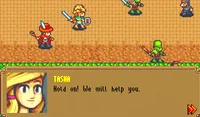
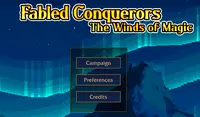
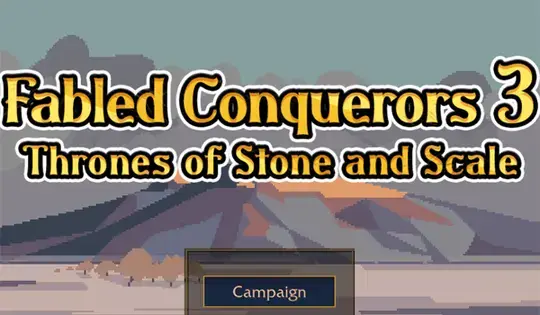
Another battle commences! To play story mode, click Campaign. Before starting a mission, choose from one of three difficulties to play on. Novice is the easiest, Commander is in the middle, and Tactician is the hardest difficulty. Your goal in each mission is to take over the opponent's castle!

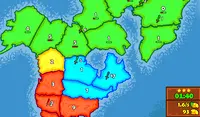
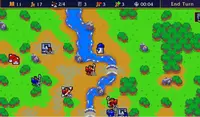
At the top of the screen are the following icons: number of turns passed, amount of gold you currently have, amount of strongholds you own, amount of units you have, amount of gold you gain and lose per turn. Use the Arrow Keys or WASD to move the camera. Press Z to zoom in and press X to zoom out.

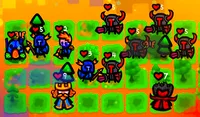
In each chapter, you start with a small set of units, each with a different skill set. Hover over each unit to see their class and abilities. To move your unit, click on it, and blue squares will appear. You can click on any of these squares to move your unit to that position. Once all your units have moved, click End Turn to continue.

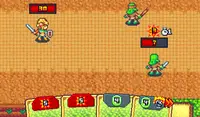
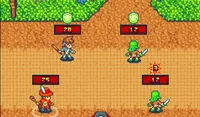
When your unit can move, it can also attack! Instead of clicking on a blue tile, click on a red tile with an enemy to attack them. The percentage that appears on the enemy before you click to attack is the chance of hitting the enemy. If it's green, that means your chances are high! If it's yellow or red, you're more likely to miss. When you defeat an enemy, your unit will gain experience, which will level them up and make them stronger.

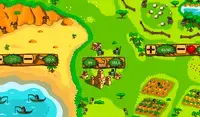
You can also capture strongholds to claim more land! Move next to a stronghold to prepare to claim it. When you are next to the stronghold, click on it to take it over. Some strongholds can be taken in one move, while others will have to be broken down, indicated by the number on the bottom of the stronghold. The more strongholds you take over, the more gold you'll receive. You can use gold to recruit more units.

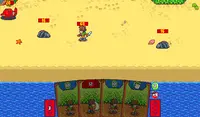
To recruit units, click on the Recruit button at the top-left of the screen. If you have enough gold for your unit, press the Recruit button on the menu, and you can place your unit next to your castle. There are eight types of units you can get: Sword, Spear, Ranged, Cavalry, Mage, Monster, Aeronaut, and Giant. Each unit has its own set of strengths and weaknesses.

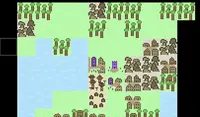
Keep an eye on the terrain tiles on the map. Forest tiles boost evasion, mountain tiles increase accuracy, and water tiles lower evasion. You can double-click or Right Click on a tile to see its properties and effects.

Every few turns, the time will change and will adjust the strength of the units. Stormguard, Primordial, and Aracanist units are stronger during the day, while Fallen and Beastmen units are stronger at night.

Finished with story mode and still wanting a challenge? Click on Skirmish in the main menu to make your own battle and choose which faction to play as and what map you'll battle on!

¡Comienza otra batalla! Para jugar al modo historia, haz clic en Campaña. Antes de empezar una misión, elige uno de los tres niveles de dificultad. Novato es el más fácil, Comandante es el intermedio y Táctico es el más difícil. ¡Tu objetivo en cada misión es conquistar el castillo del oponente!

En la parte superior de la pantalla se muestran los siguientes iconos: número de turnos transcurridos, cantidad de oro que posees, cantidad de fortalezas, cantidad de unidades y cantidad de oro que ganas y pierdes por turno. Usa las teclas de flecha o WASD para mover la cámara. Pulsa Z para acercar y X para alejar.

En cada capítulo, comienzas con un pequeño grupo de unidades, cada una con un conjunto de habilidades diferente. Pasa el cursor sobre cada unidad para ver su clase y habilidades. Para mover tu unidad, haz clic sobre ella y aparecerán cuadrados azules. Puedes hacer clic en cualquiera de estos cuadrados para mover tu unidad a esa posición. Una vez que todas tus unidades se hayan movido, haz clic en «Finalizar turno» para continuar.

Cuando tu unidad puede moverse, ¡también puede atacar! En lugar de hacer clic en una casilla azul, haz clic en una casilla roja con un enemigo para atacarlo. El porcentaje que aparece sobre el enemigo antes de atacar indica la probabilidad de acertar. Si es verde, ¡tus probabilidades son altas! Si es amarillo o rojo, es más probable que falles. Al derrotar a un enemigo, tu unidad ganará experiencia, lo que la hará subir de nivel y más fuerte.

¡También puedes capturar fortalezas para expandir tu territorio! Acércate a una fortaleza para prepararte para conquistarla. Cuando estés junto a ella, haz clic para tomarla. Algunas fortalezas se pueden conquistar de un solo movimiento, mientras que otras deberán ser destruidas, como indica el número en la parte inferior. Cuantas más fortalezas captures, más oro recibirás. Puedes usar el oro para reclutar más unidades.

Para reclutar unidades, haz clic en el botón «Reclutar» en la esquina superior izquierda de la pantalla. Si tienes suficiente oro, pulsa el botón «Reclutar» en el menú y podrás colocarla junto a tu castillo. Hay ocho tipos de unidades disponibles: Espadachín, Lancero, Arquero, Caballería, Mago, Monstruo, Aeronauta y Gigante. Cada unidad tiene sus propias fortalezas y debilidades.

Presta atención a las casillas de terreno en el mapa. Las casillas de bosque aumentan la evasión, las de montaña la precisión y las de agua la disminuyen. Puedes hacer doble clic o clic derecho en una casilla para ver sus propiedades y efectos.

Cada pocos turnos, la hora cambiará y ajustará la fuerza de las unidades. Las unidades de Guardia de la Tormenta, Primordiales y Aracanistas son más fuertes durante el día, mientras que las unidades Caídas y Hombres Bestia son más fuertes por la noche.

¿Has terminado el modo historia y aún buscas un desafío? Haz clic en Escaramuza en el menú principal para crear tu propia batalla y elige con qué facción jugar y en qué mapa lucharás.
Progreso del juego

0 XP
Género:
Género:
Oct 26, 2026
Liberar:
Oct 26, 2026
Habilidades:
Systems Thinking, Decision Making, Planning
Plataformas:
Browser

Instrucciones

Another battle commences! To play story mode, click Campaign. Before starting a mission, choose from one of three difficulties to play on. Novice is the easiest, Commander is in the middle, and Tactician is the hardest difficulty. Your goal in each mission is to take over the opponent's castle!

At the top of the screen are the following icons: number of turns passed, amount of gold you currently have, amount of strongholds you own, amount of units you have, amount of gold you gain and lose per turn. Use the Arrow Keys or WASD to move the camera. Press Z to zoom in and press X to zoom out.

In each chapter, you start with a small set of units, each with a different skill set. Hover over each unit to see their class and abilities. To move your unit, click on it, and blue squares will appear. You can click on any of these squares to move your unit to that position. Once all your units have moved, click End Turn to continue.

When your unit can move, it can also attack! Instead of clicking on a blue tile, click on a red tile with an enemy to attack them. The percentage that appears on the enemy before you click to attack is the chance of hitting the enemy. If it's green, that means your chances are high! If it's yellow or red, you're more likely to miss. When you defeat an enemy, your unit will gain experience, which will level them up and make them stronger.

You can also capture strongholds to claim more land! Move next to a stronghold to prepare to claim it. When you are next to the stronghold, click on it to take it over. Some strongholds can be taken in one move, while others will have to be broken down, indicated by the number on the bottom of the stronghold. The more strongholds you take over, the more gold you'll receive. You can use gold to recruit more units.

To recruit units, click on the Recruit button at the top-left of the screen. If you have enough gold for your unit, press the Recruit button on the menu, and you can place your unit next to your castle. There are eight types of units you can get: Sword, Spear, Ranged, Cavalry, Mage, Monster, Aeronaut, and Giant. Each unit has its own set of strengths and weaknesses.

Keep an eye on the terrain tiles on the map. Forest tiles boost evasion, mountain tiles increase accuracy, and water tiles lower evasion. You can double-click or Right Click on a tile to see its properties and effects.

Every few turns, the time will change and will adjust the strength of the units. Stormguard, Primordial, and Aracanist units are stronger during the day, while Fallen and Beastmen units are stronger at night.

Finished with story mode and still wanting a challenge? Click on Skirmish in the main menu to make your own battle and choose which faction to play as and what map you'll battle on!

¡Comienza otra batalla! Para jugar al modo historia, haz clic en Campaña. Antes de empezar una misión, elige uno de los tres niveles de dificultad. Novato es el más fácil, Comandante es el intermedio y Táctico es el más difícil. ¡Tu objetivo en cada misión es conquistar el castillo del oponente!

En la parte superior de la pantalla se muestran los siguientes iconos: número de turnos transcurridos, cantidad de oro que posees, cantidad de fortalezas, cantidad de unidades y cantidad de oro que ganas y pierdes por turno. Usa las teclas de flecha o WASD para mover la cámara. Pulsa Z para acercar y X para alejar.

En cada capítulo, comienzas con un pequeño grupo de unidades, cada una con un conjunto de habilidades diferente. Pasa el cursor sobre cada unidad para ver su clase y habilidades. Para mover tu unidad, haz clic sobre ella y aparecerán cuadrados azules. Puedes hacer clic en cualquiera de estos cuadrados para mover tu unidad a esa posición. Una vez que todas tus unidades se hayan movido, haz clic en «Finalizar turno» para continuar.

Cuando tu unidad puede moverse, ¡también puede atacar! En lugar de hacer clic en una casilla azul, haz clic en una casilla roja con un enemigo para atacarlo. El porcentaje que aparece sobre el enemigo antes de atacar indica la probabilidad de acertar. Si es verde, ¡tus probabilidades son altas! Si es amarillo o rojo, es más probable que falles. Al derrotar a un enemigo, tu unidad ganará experiencia, lo que la hará subir de nivel y más fuerte.

¡También puedes capturar fortalezas para expandir tu territorio! Acércate a una fortaleza para prepararte para conquistarla. Cuando estés junto a ella, haz clic para tomarla. Algunas fortalezas se pueden conquistar de un solo movimiento, mientras que otras deberán ser destruidas, como indica el número en la parte inferior. Cuantas más fortalezas captures, más oro recibirás. Puedes usar el oro para reclutar más unidades.

Para reclutar unidades, haz clic en el botón «Reclutar» en la esquina superior izquierda de la pantalla. Si tienes suficiente oro, pulsa el botón «Reclutar» en el menú y podrás colocarla junto a tu castillo. Hay ocho tipos de unidades disponibles: Espadachín, Lancero, Arquero, Caballería, Mago, Monstruo, Aeronauta y Gigante. Cada unidad tiene sus propias fortalezas y debilidades.

Presta atención a las casillas de terreno en el mapa. Las casillas de bosque aumentan la evasión, las de montaña la precisión y las de agua la disminuyen. Puedes hacer doble clic o clic derecho en una casilla para ver sus propiedades y efectos.

Cada pocos turnos, la hora cambiará y ajustará la fuerza de las unidades. Las unidades de Guardia de la Tormenta, Primordiales y Aracanistas son más fuertes durante el día, mientras que las unidades Caídas y Hombres Bestia son más fuertes por la noche.

¿Has terminado el modo historia y aún buscas un desafío? Haz clic en Escaramuza en el menú principal para crear tu propia batalla y elige con qué facción jugar y en qué mapa lucharás.