Play SHAPE Demo online
15
 SHAPE Demo icon

SHAPE Demo

更新しました:
Sep 13, 2026
リリース:
Sep 13, 2026
プラットフォーム:
Browser

指示

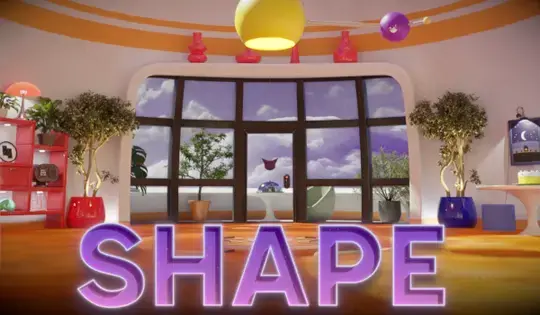
SHAPE is a FREE update to TRACE: Definitive Edition on Steam!

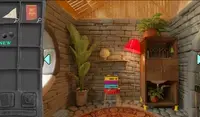
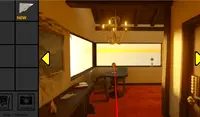
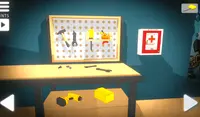
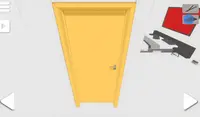
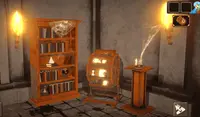
In this demo, you are stuck in the first room and must find a way to escape! Click the arrows to look around. Click on furniture and mechanisms within for a closer look. You'll find clues and even some objects to use.

When you collect an item, it will go in your inventory drawer at the top of the screen. Click the drawer to open your inventory and see your items. To inspect an item, Right Click on it. To use the item, Left Click on it and use the item to interact with different objects in the room.

If you find something interesting, take a photo of it. Click on the drawer on the right side of the screen to access the camera. Click the red button on top of the camera to take a photo. Click the pencil icon on the camera to draw on the photo. To erase your drawings, Right Click and move your mouse to erase the drawings.

SHAPEは、Steamで配信中のTRACE: Definitive Editionの無料アップデートです!

このデモでは、最初の部屋に閉じ込められてしまい、脱出方法を見つけなければなりません!矢印をクリックして周囲を見渡しましょう。家具や仕掛けをクリックすると、さらに詳しく見ることができます。手がかりや、使えるアイテムが見つかるかもしれません。

アイテムを入手すると、画面上部のインベントリ引き出しに格納されます。引き出しをクリックするとインベントリが開き、アイテムを確認できます。アイテムを調べるには、右クリックしてください。アイテムを使用するには、左クリックしてください。アイテムを使用すると、部屋にあるさまざまなオブジェクトとインタラクトできます。

何か面白いものを見つけたら、写真を撮りましょう。画面右側のドロワーをクリックするとカメラが起動します。カメラ上部の赤いボタンをクリックすると写真が撮影できます。カメラの鉛筆アイコンをクリックすると写真に絵を描くことができます。描いた絵を消すには、右クリックしてマウスを動かしてください。
ゲームの進行状況

0 XP
更新しました:
Sep 13, 2026
リリース:
Sep 13, 2026
プラットフォーム:
Browser

指示

SHAPE is a FREE update to TRACE: Definitive Edition on Steam!

In this demo, you are stuck in the first room and must find a way to escape! Click the arrows to look around. Click on furniture and mechanisms within for a closer look. You'll find clues and even some objects to use.

When you collect an item, it will go in your inventory drawer at the top of the screen. Click the drawer to open your inventory and see your items. To inspect an item, Right Click on it. To use the item, Left Click on it and use the item to interact with different objects in the room.

If you find something interesting, take a photo of it. Click on the drawer on the right side of the screen to access the camera. Click the red button on top of the camera to take a photo. Click the pencil icon on the camera to draw on the photo. To erase your drawings, Right Click and move your mouse to erase the drawings.

SHAPEは、Steamで配信中のTRACE: Definitive Editionの無料アップデートです!

このデモでは、最初の部屋に閉じ込められてしまい、脱出方法を見つけなければなりません!矢印をクリックして周囲を見渡しましょう。家具や仕掛けをクリックすると、さらに詳しく見ることができます。手がかりや、使えるアイテムが見つかるかもしれません。

アイテムを入手すると、画面上部のインベントリ引き出しに格納されます。引き出しをクリックするとインベントリが開き、アイテムを確認できます。アイテムを調べるには、右クリックしてください。アイテムを使用するには、左クリックしてください。アイテムを使用すると、部屋にあるさまざまなオブジェクトとインタラクトできます。

何か面白いものを見つけたら、写真を撮りましょう。画面右側のドロワーをクリックするとカメラが起動します。カメラ上部の赤いボタンをクリックすると写真が撮影できます。カメラの鉛筆アイコンをクリックすると写真に絵を描くことができます。描いた絵を消すには、右クリックしてマウスを動かしてください。