










Snappy Maps: Asia


 4.6 / 5(6,018 Votes)
Instructions
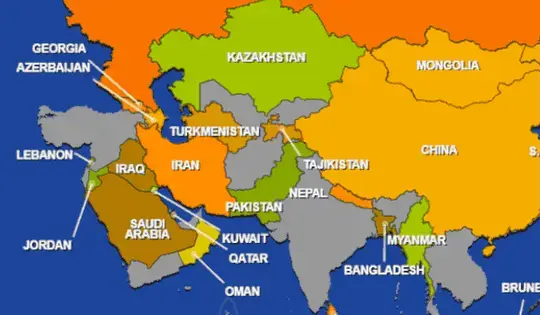
Tap and hold on a puzzle piece to pick it up, then drag it to the correct spot on the map. Lift your finger to place it. If it's close enough to the correct location, the piece will snap into place.
Ready for another challenge? Once you finish up Snappy Maps: Asia, head on over to WorldGuessr. This geography game is both super fun and super challenging to play.
Click and hold your left mouse button on a puzzle piece to pick it up, then drag it to the correct spot on the map. Release the mouse button to place it.
If it's close enough to the correct location, the piece will snap into place.
Ready for another challenge? Once you finish up Snappy Maps: Asia, head on over to WorldGuessr. This geography game is both super fun and super challenging to play.
How to play Snappy Maps: Asia on your phone
Did you know you can also play Snappy Maps: Asia on your phone? It’s a great way to play without worrying about losing your save data.
For iOS devices, simply tap the "Share" icon  in Safari and select "Add to Home Screen". For Android devices, tap the “Menu” icon
  and select "Install App".
Game Progress

 4.6 / 5(6,018 Votes)
Instructions
Tap and hold on a puzzle piece to pick it up, then drag it to the correct spot on the map. Lift your finger to place it. If it's close enough to the correct location, the piece will snap into place.
Ready for another challenge? Once you finish up Snappy Maps: Asia, head on over to WorldGuessr. This geography game is both super fun and super challenging to play.
How to play Snappy Maps: Asia on your phone
To play Snappy Maps: Asia easily any time, you can add it directly to your phone as an app. It’s a great way to play without worrying about losing your game save data.
For iOS devices, simply tap the "Share" icon in Safari and select "Add to Home Screen". For Android devices, tap the “Menu” icon and select "Install App".
Votes