












Just Divide


 4.4 / 5(814 Votes)
Instructions
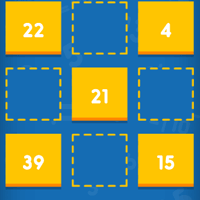
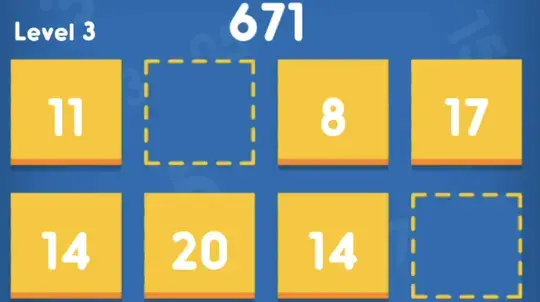
Tap on a number and drag it onto the grid. When you place a number next to a number it's divisible by, the numbers will merge and leave behind the quotient! This scores points and frees up an extra space on the grid.
If you get a number you don't want to use just yet, drag it into the "Keep" folder so you can use it later. If you want to get rid of a number in your line, drag the number over to the trash can. You can only do this once per level!
To undo your last move, tap on the arrow. You can only undo a limited amount of times. To restart the game, tap on the double arrows.
HINT: If you merge two of the same number, they'll both disappear!
(x - 2)^2 / 4 = 9 (what is x?)
Left Click on a number and drag it onto the grid. When you place a number next to a number it's divisible by, the numbers will merge and leave behind the quotient! This scores points and frees up an extra space on the grid.
If you get a number you don't want to use just yet, drag it into the "Keep" folder so you can use it later. If you want to get rid of a number in your line, drag the number over to the trash can. You can only do this once per level!
To undo your last move, click on the arrow. You can only undo a limited amount of times. To restart the game, click on the double arrows.
HINT: If you merge two of the same number, they'll both disappear!
How to play Just Divide on your phone
Did you know you can also play Just Divide on your phone? It’s a great way to play without worrying about losing your save data.
For iOS devices, simply tap the "Share" icon  in Safari and select "Add to Home Screen". For Android devices, tap the “Menu” icon
  and select "Install App".
Game Progress

 4.4 / 5(814 Votes)
Instructions
Tap on a number and drag it onto the grid. When you place a number next to a number it's divisible by, the numbers will merge and leave behind the quotient! This scores points and frees up an extra space on the grid.
If you get a number you don't want to use just yet, drag it into the "Keep" folder so you can use it later. If you want to get rid of a number in your line, drag the number over to the trash can. You can only do this once per level!
To undo your last move, tap on the arrow. You can only undo a limited amount of times. To restart the game, tap on the double arrows.
HINT: If you merge two of the same number, they'll both disappear!
How to play Just Divide on your phone
To play Just Divide easily any time, you can add it directly to your phone as an app. It’s a great way to play without worrying about losing your game save data.
For iOS devices, simply tap the "Share" icon in Safari and select "Add to Home Screen". For Android devices, tap the “Menu” icon and select "Install App".
Votes