













Brain Bloxx



 4.4 / 5(1,168 Votes)
Instructions
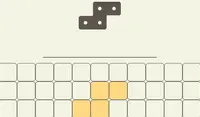
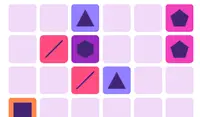
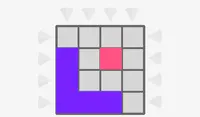
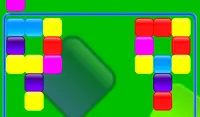
The goal of Brain Bloxx is to place the blocks from the bottom of the screen on the pink and yellow grid without running out of space!
Tap on a block and drag it into the grid. You need to drop pink blocks in yellow areas and yellow blocks in pink areas. If you see green bars over the block you're trying to place, that means you can't place it there. Every time you drop a block, a new one will show up.
If you get stuck and want to start over, tap on the arrow in the upper right corner of the screen.
Your goal in Brain Bloxx is to place the blocks from the bottom of the screen on the pink and yellow grid without running out of space!
Click on a block and drag it into the grid. You need to drop pink blocks in yellow areas and yellow blocks in pink areas. If you see green bars over the block you're trying to place, that means you can't place it there. Every time you drop a block, a new one will show up.
The higher your goes, the tougher the pieces will get! If you get stuck and want to start over, click on the arrow in the upper right corner of the screen.
How to play Brain Bloxx on your phone
Did you know you can also play Brain Bloxx on your phone? It’s a great way to play without worrying about losing your save data.
For iOS devices, simply tap the "Share" icon  in Safari and select "Add to Home Screen". For Android devices, tap the “Menu” icon
  and select "Install App".

Game Progress

 4.4 / 5(1,168 Votes)
Instructions
The goal of Brain Bloxx is to place the blocks from the bottom of the screen on the pink and yellow grid without running out of space!
Tap on a block and drag it into the grid. You need to drop pink blocks in yellow areas and yellow blocks in pink areas. If you see green bars over the block you're trying to place, that means you can't place it there. Every time you drop a block, a new one will show up.
If you get stuck and want to start over, tap on the arrow in the upper right corner of the screen.
How to play Brain Bloxx on your phone
To play Brain Bloxx easily any time, you can add it directly to your phone as an app. It’s a great way to play without worrying about losing your game save data.
For iOS devices, simply tap the "Share" icon in Safari and select "Add to Home Screen". For Android devices, tap the “Menu” icon and select "Install App".
Votes