












Colorful Ghosts


Instructions
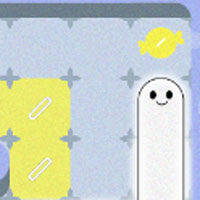
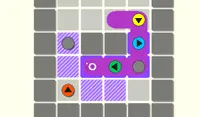
Light up the night with ghostly treats! Swipe to move. Ghosts need to cover the colorful tiles on the grid, but they need some candy first! Move the ghost over a piece of candy to eat it and change the ghost's color. Move the ghost to fit into the colorful tiles to light up the night!
There's lots of candy to share with other ghosts! Tap on the ghost you want to control. Some ghosts are short, while others are long. Check how many tiles the colorful ghost needs to take up to complete the shape.
Ghosts sometimes need to overlap with each other to combine two colors and make a new one! Ghosts can also eat multiple candies to combine their colors and turn into a new color.
As you progress, there will be some obstacles to overcome. Push wooden blocks to move them. Press red buttons to open or close floor tiles. If you get stuck, tap the last button in the upper left corner of the screen or tap the second to last button to restart the level.
Light up the night with ghostly treats! Use the Arrow Keys or WASD to move. Ghosts need to cover the colorful tiles on the grid, but they need some candy first! Move the ghost over a piece of candy to eat it and change the ghost's color. Move the ghost to fit into the colorful tiles to light up the night!
There's lots of candy to share with other ghosts! Press SPACE to switch between multiple ghosts. Some ghosts are short, while others are long. Check how many tiles the colorful ghost needs to take up to complete the shape.
Ghosts sometimes need to overlap with each other to combine two colors and make a new one! Ghosts can also eat multiple candies to combine their colors and turn into a new color.
As you progress, there will be some obstacles to overcome. Push wooden blocks to move them. Press red buttons to open or close floor tiles. If you get stuck, press Z to undo your last move or press R to restart the whole level.
How to play Colorful Ghosts on your phone
Did you know you can also play Colorful Ghosts on your phone? It’s a great way to play without worrying about losing your save data.
For iOS devices, simply tap the "Share" icon  in Safari and select "Add to Home Screen". For Android devices, tap the “Menu” icon
  and select "Install App".
Game Progress


Instructions
Light up the night with ghostly treats! Swipe to move. Ghosts need to cover the colorful tiles on the grid, but they need some candy first! Move the ghost over a piece of candy to eat it and change the ghost's color. Move the ghost to fit into the colorful tiles to light up the night!
There's lots of candy to share with other ghosts! Tap on the ghost you want to control. Some ghosts are short, while others are long. Check how many tiles the colorful ghost needs to take up to complete the shape.
Ghosts sometimes need to overlap with each other to combine two colors and make a new one! Ghosts can also eat multiple candies to combine their colors and turn into a new color.
As you progress, there will be some obstacles to overcome. Push wooden blocks to move them. Press red buttons to open or close floor tiles. If you get stuck, tap the last button in the upper left corner of the screen or tap the second to last button to restart the level.
How to play Colorful Ghosts on your phone
To play Colorful Ghosts easily any time, you can add it directly to your phone as an app. It’s a great way to play without worrying about losing your game save data.
For iOS devices, simply tap the "Share" icon in Safari and select "Add to Home Screen". For Android devices, tap the “Menu” icon and select "Install App".