










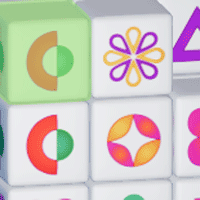


Cubic Mahjong 3D















Instructions
Play Mahjong in 3D! Select from one of two modes:
- Levels: Complete each level chronologically
- Challenge: Complete a series of challenging levels as fast as you can
Tap on the cube and drag to rotate it. You can also rotate the cube by tapping on the arrows at the bottom of the screen to turn the cube clockwise or counter-clockwise. Like in Mahjong, you must match two tiles that have the same symbol. Both tiles must not be blocked by another tile to make a match.
Keep an eye on the timer at the top of the screen. If you can't clear the block before the timer runs out, it's game over!
If you want to shuffle the blocks on the cube, tap on the shuffle button in the upper left corner of the screen. After the first shuffle, you'll need to watch an ad to do another shuffle.
Play Mahjong in 3D! Select from one of two modes:
- Levels: Complete each level chronologically
- Challenge: Complete a series of challenging levels as fast as you can
Click on the cube and move your mouse to rotate it. You can also rotate the cube by clicking on the arrows at the bottom of the screen to turn the cube clockwise or counter-clockwise. Like in Mahjong, you must match two tiles that have the same symbol. Both tiles must not be blocked by another tile to make a match.
Keep an eye on the timer at the top of the screen. If you can't clear the block before the timer runs out, it's game over!
If you want to shuffle the blocks on the cube, click on the shuffle button in the upper left corner of the screen. After the first shuffle, you'll need to watch an ad to do another shuffle.
How to play Cubic Mahjong 3D on your phone
Did you know you can also play Cubic Mahjong 3D on your phone? It’s a great way to play without worrying about losing your save data.
For iOS devices, simply tap the "Share" icon  in Safari and select "Add to Home Screen". For Android devices, tap the “Menu” icon
  and select "Install App".

Instructions
Play Mahjong in 3D! Select from one of two modes:
- Levels: Complete each level chronologically
- Challenge: Complete a series of challenging levels as fast as you can
Tap on the cube and drag to rotate it. You can also rotate the cube by tapping on the arrows at the bottom of the screen to turn the cube clockwise or counter-clockwise. Like in Mahjong, you must match two tiles that have the same symbol. Both tiles must not be blocked by another tile to make a match.
Keep an eye on the timer at the top of the screen. If you can't clear the block before the timer runs out, it's game over!
If you want to shuffle the blocks on the cube, tap on the shuffle button in the upper left corner of the screen. After the first shuffle, you'll need to watch an ad to do another shuffle.
How to play Cubic Mahjong 3D on your phone
To play Cubic Mahjong 3D easily any time, you can add it directly to your phone as an app. It’s a great way to play without worrying about losing your game save data.
For iOS devices, simply tap the "Share" icon in Safari and select "Add to Home Screen". For Android devices, tap the “Menu” icon and select "Install App".

Votes