












Face Breaker











 4.5 / 5(1,457 Votes)
Instructions
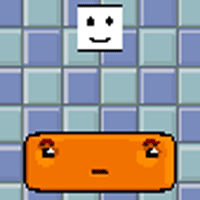
Drag to move the orange block at the bottom of the screen. Once you start moving, the white block will drop instantly. Make sure to bounce it back up to break the blocks!
The white block will bounce from block to block or wall to wall, so make sure you move quickly to prevent it from falling below your block.
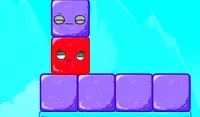
Large blocks may take more than one hit to break!
Use the Arrow Keys or WASD to move the orange block at the bottom of the screen. Once you start moving, the white block will drop instantly. Make sure to bounce it back up to break the blocks!
The white block will bounce from block to block or wall to wall, so make sure you move quickly to prevent it from falling below your block.
Large blocks may take more than one hit to break!
How to play Face Breaker on your phone
Did you know you can also play Face Breaker on your phone? It’s a great way to play without worrying about losing your save data.
For iOS devices, simply tap the "Share" icon  in Safari and select "Add to Home Screen". For Android devices, tap the “Menu” icon
  and select "Install App".
Game Progress

 4.5 / 5(1,457 Votes)
Instructions
Drag to move the orange block at the bottom of the screen. Once you start moving, the white block will drop instantly. Make sure to bounce it back up to break the blocks!
The white block will bounce from block to block or wall to wall, so make sure you move quickly to prevent it from falling below your block.
Large blocks may take more than one hit to break!
How to play Face Breaker on your phone
To play Face Breaker easily any time, you can add it directly to your phone as an app. It’s a great way to play without worrying about losing your game save data.
For iOS devices, simply tap the "Share" icon in Safari and select "Add to Home Screen". For Android devices, tap the “Menu” icon and select "Install App".
Votes