













Hidden Objects Island












 4.7 / 5(4,008 Votes)
Instructions
Find new objects on every island! There is a list of objects you need to find at the bottom of your screen. Underneath each object's icon is a number indicating how many of that object you need to find. When you spot an object from the list, tap on it to collect it!
Tap and drag to move the camera to change your view. Tap on the plus button to zoom in and tap the minus button to zoom out.
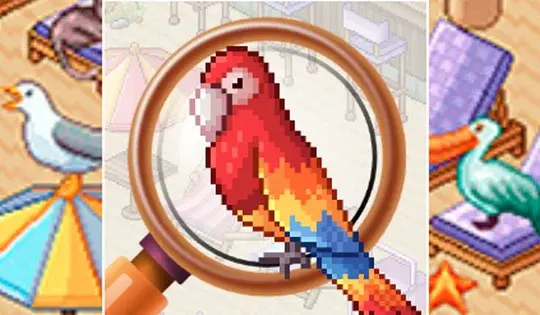
If you're stuck, tap on the magnifying glass to spot a random object! You only have a limited number of hints per level.
Find new objects on every island! There is a list of objects you need to find at the bottom of your screen. Underneath each object's icon is a number indicating how many of that object you need to find. When you spot an object from the list, click on it to collect it!
Use the Arrow Keys or WASD to move the camera to change your view. Click on the plus button to zoom in and click the minus button to zoom out.
If you're stuck, click on the magnifying glass to spot a random object! You only have a limited number of hints per level.
How to play Hidden Objects Island on your phone
Did you know you can also play Hidden Objects Island on your phone? It’s a great way to play without worrying about losing your save data.
For iOS devices, simply tap the "Share" icon  in Safari and select "Add to Home Screen". For Android devices, tap the “Menu” icon
  and select "Install App".
Game Progress

 4.7 / 5(4,008 Votes)
Instructions
Find new objects on every island! There is a list of objects you need to find at the bottom of your screen. Underneath each object's icon is a number indicating how many of that object you need to find. When you spot an object from the list, tap on it to collect it!
Tap and drag to move the camera to change your view. Tap on the plus button to zoom in and tap the minus button to zoom out.
If you're stuck, tap on the magnifying glass to spot a random object! You only have a limited number of hints per level.
How to play Hidden Objects Island on your phone
To play Hidden Objects Island easily any time, you can add it directly to your phone as an app. It’s a great way to play without worrying about losing your game save data.
For iOS devices, simply tap the "Share" icon in Safari and select "Add to Home Screen". For Android devices, tap the “Menu” icon and select "Install App".
Votes