
Ad Notice
This game is exclusively available through a publisher who has built ads into the game files. Because of this, we are unable to remove the ads for subscribers, like we do for all the other pages of the site.













Penguin Diner 2








 4.7 / 5(11,935 Votes)
Instructions
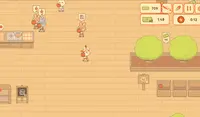
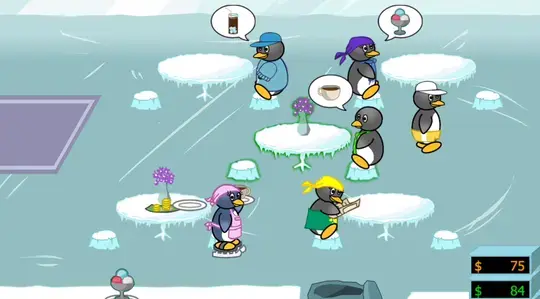
Customers will arrive at the front of the restaurant. Tap on them, then tap on an empty table to seat them. When a customer is ready to order, they'll raise their flipper. Tap on them and they'll give their order. The kitchen will begin to prepare their food and once it's ready, the dish will appear on the counter! Tap on the dish and bring it to the customer. Don't take too long, or the customer will get impatient and leave.
Once a customer finishes eating, they'll leave their table. Tap on their table to clean it up and claim your tip!
The restaurant closes at 9pm, so keep an eye on the clock and serve customers as quickly as you can! The yellow number on the cash register how much money you need to make by the end of the shift.
At the end of the day, you can use your leftover tips to buy upgrades for the restaurant! These upgrades can help you move faster, help customers stay patient, and increase the amount of money you can earn from tips.
At the end of each day, you'll earn a star. You can use your stars to buy new outfits or customize your restaurant with new themes.
HINT: When you see a pair of lovebirds, seat them at a table with flowers!
We are aware that players have not been able to get past Day 10 of Whale Bay - we are working to update the build. We apologize for the inconvenience.
Customers will arrive at the front of the restaurant. Click on them, then click on an empty table to seat them. When a customer is ready to order, they'll raise their flipper. Click on them and they'll give their order. The kitchen will begin to prepare their food and once it's ready, the dish will appear on the counter! Click on the dish and bring it to the customer. Don't take too long, or the customer will get impatient and leave.
The original Penguin Diner is also available to play on Coolmath Games.
More Penguin Diner 2 Tips and Tricks
- Once a customer finishes eating, they'll leave their table. Click on their table to clean it up and claim your tip!
- The restaurant closes at 9pm, so keep an eye on the clock and serve customers as quickly as you can! The yellow number on the cash register how much money you need to make by the end of the shift.
- At the end of the day, you can use your leftover tips to buy upgrades for the restaurant! These upgrades can help you move faster, help customers stay patient, and increase the amount of money you can earn from tips.
- At the end of each day, you'll earn a star. You can use your stars to buy new outfits or customize your restaurant with new themes.
HINT: When you see a pair of lovebirds, seat them at a table with flowers!
How to play Penguin Diner 2 on your phone
Did you know you can also play Penguin Diner 2 on your phone? It’s a great way to play without worrying about losing your save data.
For iOS devices, simply tap the "Share" icon  in Safari and select "Add to Home Screen". For Android devices, tap the “Menu” icon
  and select "Install App".
Ad Notice
This game is exclusively available through a publisher who has built ads into the game files. Because of this, we are unable to remove the ads for subscribers, like we do for all the other pages of the site.
Game Progress

 4.7 / 5(11,935 Votes)
Instructions
Customers will arrive at the front of the restaurant. Tap on them, then tap on an empty table to seat them. When a customer is ready to order, they'll raise their flipper. Tap on them and they'll give their order. The kitchen will begin to prepare their food and once it's ready, the dish will appear on the counter! Tap on the dish and bring it to the customer. Don't take too long, or the customer will get impatient and leave.
Once a customer finishes eating, they'll leave their table. Tap on their table to clean it up and claim your tip!
The restaurant closes at 9pm, so keep an eye on the clock and serve customers as quickly as you can! The yellow number on the cash register how much money you need to make by the end of the shift.
At the end of the day, you can use your leftover tips to buy upgrades for the restaurant! These upgrades can help you move faster, help customers stay patient, and increase the amount of money you can earn from tips.
At the end of each day, you'll earn a star. You can use your stars to buy new outfits or customize your restaurant with new themes.
HINT: When you see a pair of lovebirds, seat them at a table with flowers!
How to play Penguin Diner 2 on your phone
To play Penguin Diner 2 easily any time, you can add it directly to your phone as an app. It’s a great way to play without worrying about losing your game save data.
For iOS devices, simply tap the "Share" icon in Safari and select "Add to Home Screen". For Android devices, tap the “Menu” icon and select "Install App".
Votes