












Prickle



 4.0 / 5(549 Votes)
Instructions
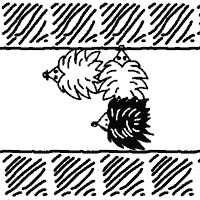
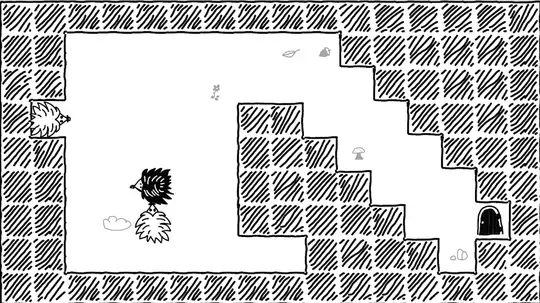
You are DadHog, and all your hoglings are scattered in the yard. Unite all the hoglings, then bring them back to the Hogway!
Move DadHog by swiping in any direction. If you move into a space adjacent to a hogling (the white hedgehogs), you will stick to them. If a hogling touches another hogling, they will join the pack.
If you want to get to the exit, you'll need to steer the family in the right direction. Tap the clockwise or counter-clockwise arrow buttons on the left side of the screen to rotate the whole bunch. Take note that you always rotate with DadHog as the axis. This will come into play in later levels. Tap the R button to restart the level.
To complete a level, collect all the hoglings, then bring any one of your pack to the Hogway door.
You are DadHog, and all your hoglings are scattered in the yard. Unite all the hoglings, then bring them back to the Hogway!
Move DadHog with WASD or the Arrow Keys. If you move into a space adjacent to a hogling (the white hedgehogs), you will stick to them. If a hogling touches another hogling, they will join the pack.
If you want to get to the exit, you'll need to steer the family in the right direction. Press Q, E or Z, X to rotate the whole bunch. Take note that you always rotate with DadHog as the axis. This will come into play in later levels.
To complete a level, collect all the hoglings, then bring any one of your pack to the Hogway door.
How to play Prickle on your phone
Did you know you can also play Prickle on your phone? It’s a great way to play without worrying about losing your save data.
For iOS devices, simply tap the "Share" icon  in Safari and select "Add to Home Screen". For Android devices, tap the “Menu” icon
  and select "Install App".
Game Progress

 4.0 / 5(549 Votes)
Instructions
You are DadHog, and all your hoglings are scattered in the yard. Unite all the hoglings, then bring them back to the Hogway!
Move DadHog by swiping in any direction. If you move into a space adjacent to a hogling (the white hedgehogs), you will stick to them. If a hogling touches another hogling, they will join the pack.
If you want to get to the exit, you'll need to steer the family in the right direction. Tap the clockwise or counter-clockwise arrow buttons on the left side of the screen to rotate the whole bunch. Take note that you always rotate with DadHog as the axis. This will come into play in later levels. Tap the R button to restart the level.
To complete a level, collect all the hoglings, then bring any one of your pack to the Hogway door.
How to play Prickle on your phone
To play Prickle easily any time, you can add it directly to your phone as an app. It’s a great way to play without worrying about losing your game save data.
For iOS devices, simply tap the "Share" icon in Safari and select "Add to Home Screen". For Android devices, tap the “Menu” icon and select "Install App".
Votes