













Pushori




 4.0 / 5(153 Votes)
Instructions
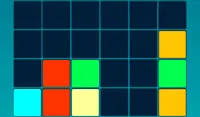
Push the blocks onto the grid and match them up! You can push a block into the grid from any of the three rows, from either the left or right side. Tap on the arrow you want the block to slide in from! To make a match, two blocks of the same color must be next to each other in the same column.
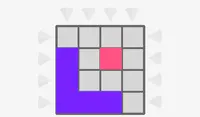
Each level shows the 3x3 grid you are using in the upper right corner of the screen. You need to make a match in each square of the grid to complete the level. If there's a white square in the grid, that indicates a match has already been made there. If the square is gray, a match needs to be made there to progress to the next level. Each level will introduce you to more blocks and more points to earn!
You will always see which block pattern will appear next in the upper left corner of the screen.
Push the blocks onto the grid and match them up! You can push a block into the grid from any of the three rows, from either the left or right side. Move your mouse to the position you want to slide the block in from. Then just click and watch the block slide! To make a match, two blocks of the same color must be next to each other in the same column.
Each level shows the 3x3 grid you are using in the upper right corner of the screen. You need to make a match in each square of the grid to complete the level. If there's a white square in the grid, that indicates a match has already been made there. If the square is gray, a match needs to be made there to progress to the next level. Each level will introduce you to more blocks and more points to earn!
You will always see which block pattern will appear next in the upper left corner of the screen.
How to play Pushori on your phone
Did you know you can also play Pushori on your phone? It’s a great way to play without worrying about losing your save data.
For iOS devices, simply tap the "Share" icon  in Safari and select "Add to Home Screen". For Android devices, tap the “Menu” icon
  and select "Install App".

Game Progress

 4.0 / 5(153 Votes)
Instructions
Push the blocks onto the grid and match them up! You can push a block into the grid from any of the three rows, from either the left or right side. Tap on the arrow you want the block to slide in from! To make a match, two blocks of the same color must be next to each other in the same column.
Each level shows the 3x3 grid you are using in the upper right corner of the screen. You need to make a match in each square of the grid to complete the level. If there's a white square in the grid, that indicates a match has already been made there. If the square is gray, a match needs to be made there to progress to the next level. Each level will introduce you to more blocks and more points to earn!
You will always see which block pattern will appear next in the upper left corner of the screen.
How to play Pushori on your phone
To play Pushori easily any time, you can add it directly to your phone as an app. It’s a great way to play without worrying about losing your game save data.
For iOS devices, simply tap the "Share" icon in Safari and select "Add to Home Screen". For Android devices, tap the “Menu” icon and select "Install App".
Votes