













Sum Slider











 4.3 / 5(434 Votes)
Instructions
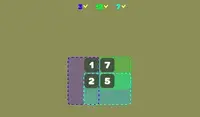
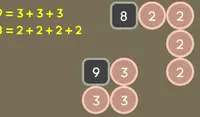
Add up the numbers! At the end of each line is a number in a white bubble. Drag the numbered tiles along the tracks so they add up to the numbers in the white bubbles. The numbers in the white bubbles will always correspond to a particular row or column. You can see what the numbers in that row or column are currently adding up to in the unfilled circle at the other end of the line.
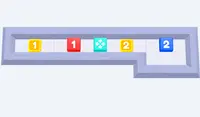
If two numbers are next to each other on the track, you can swap their positions by moving one into the other.
If you get stuck and need help, tap on the question mark to get a hint. You only have a limited amount of hints, though!
Add up the numbers! At the end of each line is a number in a white bubble. Click and drag the numbered tiles along the tracks so they add up to the numbers in the white bubbles. The numbers in the white bubbles will always correspond to a particular row or column. You can see what the numbers in that row or column are currently adding up to in the unfilled circle at the other end of the line.
If two numbers are next to each other on the track, you can swap their positions by moving one into the other.
If you get stuck and need help, click on the question mark to get a hint. You only have a limited amount of hints, though!
How to play Sum Slider on your phone
Did you know you can also play Sum Slider on your phone? It’s a great way to play without worrying about losing your save data.
For iOS devices, simply tap the "Share" icon  in Safari and select "Add to Home Screen". For Android devices, tap the “Menu” icon
  and select "Install App".

Game Progress

 4.3 / 5(434 Votes)
Instructions
Add up the numbers! At the end of each line is a number in a white bubble. Drag the numbered tiles along the tracks so they add up to the numbers in the white bubbles. The numbers in the white bubbles will always correspond to a particular row or column. You can see what the numbers in that row or column are currently adding up to in the unfilled circle at the other end of the line.
If two numbers are next to each other on the track, you can swap their positions by moving one into the other.
If you get stuck and need help, tap on the question mark to get a hint. You only have a limited amount of hints, though!
How to play Sum Slider on your phone
To play Sum Slider easily any time, you can add it directly to your phone as an app. It’s a great way to play without worrying about losing your game save data.
For iOS devices, simply tap the "Share" icon in Safari and select "Add to Home Screen". For Android devices, tap the “Menu” icon and select "Install App".
Votes