













Swift Numbers












 4.0 / 5(1,246 Votes)
Instructions
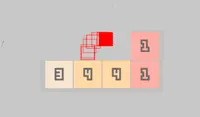
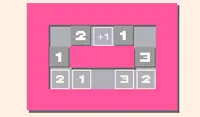
Your goal is to reduce each tile in the grid to zero! Each tile has a number - this tile can only move the specified number of spaces. To move a tile, tap on it and there will be red dots that appear on the grid showing where you can move the tile to. Tap on one of those dots to move the tile and it will reduce to zero!
Each tile movement is done all in one go - so you can't move a tile twice. If you tap on a tile and you don't see any red dots on the grid, that means you cannot move that tile.
If you want to undo your last move, tap on the Undo button. If you get stuck, tap on the arrow button in the upper right corner of the screen to restart the level!
Your goal is to reduce each tile in the grid to zero! Each tile has a number - this tile can only move the specified number of spaces. To move a tile, click on it and there will be red dots that appear on the grid showing where you can move the tile to. Click on one of those dots to move the tile and it will reduce to zero!
Each tile movement is done all in one go - so you can't move a tile twice. If you click on a tile and you don't see any red dots on the grid, that means you cannot move that tile.
If you want to undo your last move, click on the Undo button. If you get stuck, click on the arrow button in the upper right corner of the screen to restart the level!
How to play Swift Numbers on your phone
Did you know you can also play Swift Numbers on your phone? It’s a great way to play without worrying about losing your save data.
For iOS devices, simply tap the "Share" icon  in Safari and select "Add to Home Screen". For Android devices, tap the “Menu” icon
  and select "Install App".
Game Progress

 4.0 / 5(1,246 Votes)
Instructions
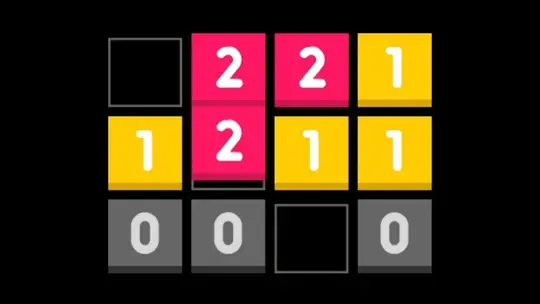
Your goal is to reduce each tile in the grid to zero! Each tile has a number - this tile can only move the specified number of spaces. To move a tile, tap on it and there will be red dots that appear on the grid showing where you can move the tile to. Tap on one of those dots to move the tile and it will reduce to zero!
Each tile movement is done all in one go - so you can't move a tile twice. If you tap on a tile and you don't see any red dots on the grid, that means you cannot move that tile.
If you want to undo your last move, tap on the Undo button. If you get stuck, tap on the arrow button in the upper right corner of the screen to restart the level!
How to play Swift Numbers on your phone
To play Swift Numbers easily any time, you can add it directly to your phone as an app. It’s a great way to play without worrying about losing your game save data.
For iOS devices, simply tap the "Share" icon in Safari and select "Add to Home Screen". For Android devices, tap the “Menu” icon and select "Install App".
Votes