












The Doctor Cat














Instructions
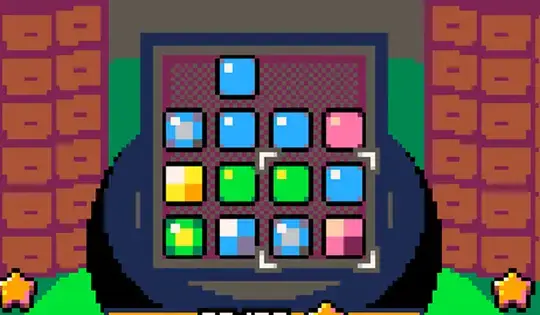
Tap the Circle Button to grab the fruit and tap the Arrows to move it in the cauldron. Match 3 of the same color fruits in a row to combine them into stronger fruit! You can hold the Circle Button and press the Arrow Keys to rotate the blocks into a better position.
If you need to remove fruit from the cauldron, press X. Try not to do it too much or your fruit will break.
Press Z to grab the fruit and press the Arrow Keys to move it in the cauldron. Match 3 of the same color fruits in a row to combine them into stronger fruit! You can hold Z and press the Arrow Keys to rotate them.
If you need to remove fruit from the cauldron, press X. Try not to do it too much or your fruit will break.
How to play The Doctor Cat on your phone
Did you know you can also play The Doctor Cat on your phone? It’s a great way to play without worrying about losing your save data.
For iOS devices, simply tap the "Share" icon  in Safari and select "Add to Home Screen". For Android devices, tap the “Menu” icon
 and select "Install App".
Game Progress


Instructions
Tap the Circle Button to grab the fruit and tap the Arrows to move it in the cauldron. Match 3 of the same color fruits in a row to combine them into stronger fruit! You can hold the Circle Button and press the Arrow Keys to rotate the blocks into a better position.
If you need to remove fruit from the cauldron, press X. Try not to do it too much or your fruit will break.
How to play The Doctor Cat on your phone
To play The Doctor Cat easily any time, you can add it directly to your phone as an app. It’s a great way to play without worrying about losing your game save data.
For iOS devices, simply tap the "Share" icon in Safari and select "Add to Home Screen". For Android devices, tap the “Menu” icon and select "Install App".

Votes