












The Gate

















 4.2 / 5(2,170 Votes)
Instructions
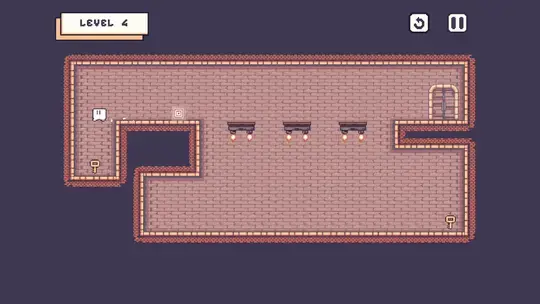
Your goal is to grab the key and reach the door. Move with the onscreen arrows and jump by pressing the 'A' button.
You have a teleportation power that you can use to your advantage! First, press the 'Z' button to place a portal where you are standing. Then, when you want to warp back to that spot, press Z again. You can only place one portal at a time, but after you warp your portal is closed and you can place a new one.
Floating platforms will fall soon after you touch them, so make sure to move quickly. You'll also want to watch out for lasers!
If you need to restart the level, press the restart button.
Your goal is to grab the key and reach the door. Move and jump with the Arrow Keys or WASD.
You have a teleportation power that you can use to your advantage! First, press Z to place a portal where you are standing. Then, when you want to warp back to that spot, press Z again. You can only place one portal at a time, but after you warp your portal is closed and you can place a new one.
Floating platforms will fall soon after you touch them, so make sure to move quickly. You'll also want to watch out for lasers!
If you need to restart the level, press R.
How to play The Gate on your phone
Did you know you can also play The Gate on your phone? It’s a great way to play without worrying about losing your save data.
For iOS devices, simply tap the "Share" icon  in Safari and select "Add to Home Screen". For Android devices, tap the “Menu” icon
  and select "Install App".
Game Progress

 4.2 / 5(2,170 Votes)
Instructions
Your goal is to grab the key and reach the door. Move with the onscreen arrows and jump by pressing the 'A' button.
You have a teleportation power that you can use to your advantage! First, press the 'Z' button to place a portal where you are standing. Then, when you want to warp back to that spot, press Z again. You can only place one portal at a time, but after you warp your portal is closed and you can place a new one.
Floating platforms will fall soon after you touch them, so make sure to move quickly. You'll also want to watch out for lasers!
If you need to restart the level, press the restart button.
How to play The Gate on your phone
To play The Gate easily any time, you can add it directly to your phone as an app. It’s a great way to play without worrying about losing your game save data.
For iOS devices, simply tap the "Share" icon in Safari and select "Add to Home Screen". For Android devices, tap the “Menu” icon and select "Install App".
Votes