





Twisted Blocks icon

Twisted Blocks

Genre:
Rating:
Rating Star4.3 / 5(323 Votes)
Updated:
Aug 11, 2025
Release:
Jul 07, 2025
Platforms:
Browser

Twisted Blocks Game Instructions

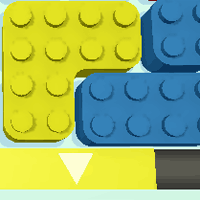
Shred blocks to clear the grid! Click and drag a block to pick it up and move it. Release to place it back onto the board. To shred a block, place it next to the shredder wall of the same color. Blocks cannot move past each other, so you'll need to make sure a path is clear for each block you move! If a block won't shred, remember: there can't be another block that gets between the shredder and any part of the block you just moved.

You need to clear the grid before the timer runs out! The timer is located at the top of the screen.

Different Kinds of Twisted Blocks

In later levels, you'll come across some unique blocks. You must use these twisted blocks in different ways to reach success in this game.

Arrow Blocks

Blocks that have arrows on them can only move in the direction shown by the arrows. This is one of the most basic kinds of blocks, but also one of the most important.

Layered Blocks

There are also layered blocks, where there may be 2 blocks on top of each other. You'll need to shred the bottom block to get to the block on top.

Numbered Blocks

Some blocks have numbers on them - this means you'll need to shred a certain number of blocks before you can move that block. These can be some of the most tricky to get around.

Locked Blocks

Some blocks will be locked! One block will have a lock on it while another will have the symbol that appears on the locked block. You'll need to shred the block with the symbol first to unlock the block to use.
Shred blocks to clear the grid! Click and drag a block to pick it up and move it. Release to place it back onto the board. To shred a block, place it next to the shredder wall of the same color. Blocks cannot move past each other, so you'll need to make sure a path is clear for each block you move! If a block won't shred, remember: there can't be another block that gets between the shredder and any part of the block you just moved.

You need to clear the grid before the timer runs out! The timer is located at the top of the screen.

Different Kinds of Twisted Blocks

In later levels, you'll come across some unique blocks. You must use these Twisted Blocks in different ways to reach success in this game.

Arrow Blocks

Blocks that have arrows on them can only move in the direction shown by the arrows. This is one of the most basic kinds of blocks, but also one of the most important.

Layered Blocks

There are also layered blocks, where there may be 2 blocks on top of each other. You'll need to shred the bottom block to get to the block on top.

Numbered Blocks

Some blocks have numbers on them - this means you'll need to shred a certain number of blocks before you can move that block. These can be some of the most tricky to get around.

Locked Blocks

Some blocks will be locked! One block will have a lock on it while another will have the symbol that appears on the locked block. You'll need to shred the block with the symbol first to unlock the block to use.

Game Progress

0 XP
Genre:
Rating:
Rating Star4.3 / 5(323 Votes)
Updated:
Aug 11, 2025
Release:
Jul 07, 2025
Platforms:
Browser

Twisted Blocks Game Instructions

Shred blocks to clear the grid! Click and drag a block to pick it up and move it. Release to place it back onto the board. To shred a block, place it next to the shredder wall of the same color. Blocks cannot move past each other, so you'll need to make sure a path is clear for each block you move! If a block won't shred, remember: there can't be another block that gets between the shredder and any part of the block you just moved.

You need to clear the grid before the timer runs out! The timer is located at the top of the screen.

Different Kinds of Twisted Blocks

In later levels, you'll come across some unique blocks. You must use these twisted blocks in different ways to reach success in this game.

Arrow Blocks

Blocks that have arrows on them can only move in the direction shown by the arrows. This is one of the most basic kinds of blocks, but also one of the most important.

Layered Blocks

There are also layered blocks, where there may be 2 blocks on top of each other. You'll need to shred the bottom block to get to the block on top.

Numbered Blocks

Some blocks have numbers on them - this means you'll need to shred a certain number of blocks before you can move that block. These can be some of the most tricky to get around.

Locked Blocks

Some blocks will be locked! One block will have a lock on it while another will have the symbol that appears on the locked block. You'll need to shred the block with the symbol first to unlock the block to use.

Shred blocks to clear the grid! Click and drag a block to pick it up and move it. Release to place it back onto the board. To shred a block, place it next to the shredder wall of the same color. Blocks cannot move past each other, so you'll need to make sure a path is clear for each block you move! If a block won't shred, remember: there can't be another block that gets between the shredder and any part of the block you just moved.

You need to clear the grid before the timer runs out! The timer is located at the top of the screen.

Different Kinds of Twisted Blocks

In later levels, you'll come across some unique blocks. You must use these Twisted Blocks in different ways to reach success in this game.

Arrow Blocks

Blocks that have arrows on them can only move in the direction shown by the arrows. This is one of the most basic kinds of blocks, but also one of the most important.

Layered Blocks

There are also layered blocks, where there may be 2 blocks on top of each other. You'll need to shred the bottom block to get to the block on top.

Numbered Blocks

Some blocks have numbers on them - this means you'll need to shred a certain number of blocks before you can move that block. These can be some of the most tricky to get around.

Locked Blocks

Some blocks will be locked! One block will have a lock on it while another will have the symbol that appears on the locked block. You'll need to shred the block with the symbol first to unlock the block to use.

4.3 Rating Star
323
Votes