
Werbehinweis
Dieses Spiel ist ausschließlich über einen Herausgeber erhältlich, der Anzeigen in die Spieldateien integriert hat. Aus diesem Grund können wir die Anzeigen für Abonnenten nicht entfernen, wie wir es für alle anderen Seiten der Website tun.










The Smurfs: Village Cleaning

 4.5 / 5(7,436 Stimmen)
Anweisungen
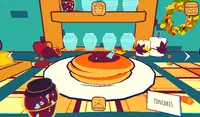
Tap on the house to start helping the Smurfs. Each Smurf needs help cleaning or rebuilding a piece of furniture. When cleaning furniture, you'll use various tools that you can tap and drag to wash, scrub, dry, and rinse. Make sure you clean everything perfectly to get three stars.
Some pieces of furniture may be broken. To repair the furniture, you need to tap on a broken piece and drag it into the outline to put it back in its place. Sometimes you'll need to glue the furniture back tapping and dragging the glue tube along a line. Other times, you'll need to use a hammer and nails to repair it. When using the hammer, tap when the top of the nail is green to rebuild it properly!
After you finish each level, you'll return to the village to clean up a house. Tap on the sponge and wipe it all over the house to clean it. Once you finish, tap on the green circle with an exclamation point to receive a gift! You can use this gift to decorate your house by tapping "Your House" and placing down the new furniture.
When you use a cleaning tool enough times and earn a lot of stars, you can watch an ad to upgrade it!
Click on the house to start helping the Smurfs. Each Smurf needs help cleaning or rebuilding a piece of furniture. When cleaning furniture, you'll use various tools that you can click and drag to wash, scrub, dry, and rinse. Make sure you clean everything perfectly to get three stars.
Some pieces of furniture may be broken. To repair the furniture, you need to click on a broken piece and drag it into the outline to put it back in its place. Sometimes you'll need to glue the furniture back clicking and dragging the glue tube along a line. Other times, you'll need to use a hammer and nails to repair it. When using the hammer, click when the top of the nail is green to rebuild it properly!
After you finish each level, you'll return to the village to clean up a house. Click on the sponge and wipe it all over the house to clean it. Once you finish, click on the green circle with an exclamation point to receive a gift! You can use this gift to decorate your house by clicking "Your House" and placing down the new furniture.
When you use a cleaning tool enough times and earn a lot of stars, you can watch an ad to upgrade it!
So spielen Sie The Smurfs: Village Cleaning auf Ihrem Handy
Wussten Sie, dass Sie The Smurfs: Village Cleaning auch auf Ihrem Handy spielen können? Es ist eine großartige Möglichkeit zu spielen, ohne sich Gedanken über den Verlust Ihrer gespeicherten Daten machen zu müssen.
Tippen Sie bei iOS-Geräten einfach auf das Symbol "Aktie"  in Safari und wählen Sie "Zum Startbildschirm hinzufügen". Tippen Sie bei Android-Geräten auf das Symbol "Menü"
  und wählen Sie "App installieren“"
Werbehinweis
Dieses Spiel ist ausschließlich über einen Herausgeber erhältlich, der Anzeigen in die Spieldateien integriert hat. Aus diesem Grund können wir die Anzeigen für Abonnenten nicht entfernen, wie wir es für alle anderen Seiten der Website tun.
Spielfortschritt

 4.5 / 5(7,436 Stimmen)
Anweisungen
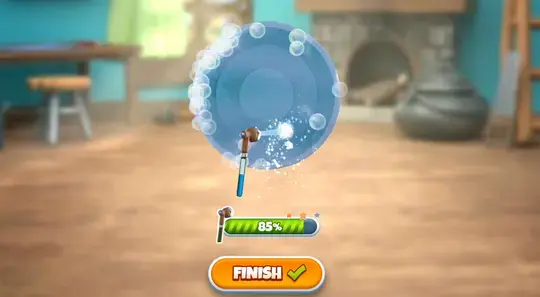
Tap on the house to start helping the Smurfs. Each Smurf needs help cleaning or rebuilding a piece of furniture. When cleaning furniture, you'll use various tools that you can tap and drag to wash, scrub, dry, and rinse. Make sure you clean everything perfectly to get three stars.
Some pieces of furniture may be broken. To repair the furniture, you need to tap on a broken piece and drag it into the outline to put it back in its place. Sometimes you'll need to glue the furniture back tapping and dragging the glue tube along a line. Other times, you'll need to use a hammer and nails to repair it. When using the hammer, tap when the top of the nail is green to rebuild it properly!
After you finish each level, you'll return to the village to clean up a house. Tap on the sponge and wipe it all over the house to clean it. Once you finish, tap on the green circle with an exclamation point to receive a gift! You can use this gift to decorate your house by tapping "Your House" and placing down the new furniture.
When you use a cleaning tool enough times and earn a lot of stars, you can watch an ad to upgrade it!
So spielen Sie The Smurfs: Village Cleaning auf Ihrem Handy
Um The Smurfs: Village Cleaning jederzeit einfach zu spielen, können Sie es direkt als App zu Ihrem Telefon hinzufügen. Es ist eine großartige Möglichkeit zu spielen, ohne sich Gedanken über den Verlust Ihrer Spielspeicherdaten machen zu müssen.
Tippen Sie bei iOS-Geräten einfach auf das Symbol "Aktie" in Safari und wählen Sie "Zum Startbildschirm hinzufügen". Tippen Sie bei Android-Geräten auf das Symbol "Menü" und wählen Sie "App installieren".
Stimmen