
Ad Notice
This game is exclusively available through a publisher who has built ads into the game files. Because of this, we are unable to remove the ads for subscribers, like we do for all the other pages of the site.










The Smurfs: Village Cleaning


 4.5 / 5(7,430 Votes)
Instructions
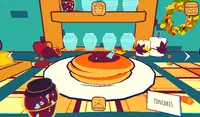
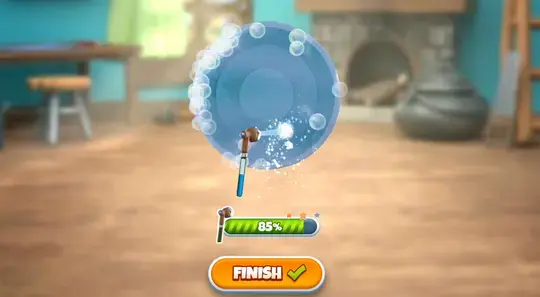
Tap on the house to start helping the Smurfs. Each Smurf needs help cleaning or rebuilding a piece of furniture. When cleaning furniture, you'll use various tools that you can tap and drag to wash, scrub, dry, and rinse. Make sure you clean everything perfectly to get three stars.
Some pieces of furniture may be broken. To repair the furniture, you need to tap on a broken piece and drag it into the outline to put it back in its place. Sometimes you'll need to glue the furniture back tapping and dragging the glue tube along a line. Other times, you'll need to use a hammer and nails to repair it. When using the hammer, tap when the top of the nail is green to rebuild it properly!
After you finish each level, you'll return to the village to clean up a house. Tap on the sponge and wipe it all over the house to clean it. Once you finish, tap on the green circle with an exclamation point to receive a gift! You can use this gift to decorate your house by tapping "Your House" and placing down the new furniture.
When you use a cleaning tool enough times and earn a lot of stars, you can watch an ad to upgrade it!
Click on the house to start helping the Smurfs. Each Smurf needs help cleaning or rebuilding a piece of furniture. When cleaning furniture, you'll use various tools that you can click and drag to wash, scrub, dry, and rinse. Make sure you clean everything perfectly to get three stars.
Some pieces of furniture may be broken. To repair the furniture, you need to click on a broken piece and drag it into the outline to put it back in its place. Sometimes you'll need to glue the furniture back clicking and dragging the glue tube along a line. Other times, you'll need to use a hammer and nails to repair it. When using the hammer, click when the top of the nail is green to rebuild it properly!
After you finish each level, you'll return to the village to clean up a house. Click on the sponge and wipe it all over the house to clean it. Once you finish, click on the green circle with an exclamation point to receive a gift! You can use this gift to decorate your house by clicking "Your House" and placing down the new furniture.
When you use a cleaning tool enough times and earn a lot of stars, you can watch an ad to upgrade it!
How to play The Smurfs: Village Cleaning on your phone
Did you know you can also play The Smurfs: Village Cleaning on your phone? It’s a great way to play without worrying about losing your save data.
For iOS devices, simply tap the "Share" icon  in Safari and select "Add to Home Screen". For Android devices, tap the “Menu” icon
  and select "Install App".
Ad Notice
This game is exclusively available through a publisher who has built ads into the game files. Because of this, we are unable to remove the ads for subscribers, like we do for all the other pages of the site.
Game Progress

 4.5 / 5(7,430 Votes)
Instructions
Tap on the house to start helping the Smurfs. Each Smurf needs help cleaning or rebuilding a piece of furniture. When cleaning furniture, you'll use various tools that you can tap and drag to wash, scrub, dry, and rinse. Make sure you clean everything perfectly to get three stars.
Some pieces of furniture may be broken. To repair the furniture, you need to tap on a broken piece and drag it into the outline to put it back in its place. Sometimes you'll need to glue the furniture back tapping and dragging the glue tube along a line. Other times, you'll need to use a hammer and nails to repair it. When using the hammer, tap when the top of the nail is green to rebuild it properly!
After you finish each level, you'll return to the village to clean up a house. Tap on the sponge and wipe it all over the house to clean it. Once you finish, tap on the green circle with an exclamation point to receive a gift! You can use this gift to decorate your house by tapping "Your House" and placing down the new furniture.
When you use a cleaning tool enough times and earn a lot of stars, you can watch an ad to upgrade it!
How to play The Smurfs: Village Cleaning on your phone
To play The Smurfs: Village Cleaning easily any time, you can add it directly to your phone as an app. It’s a great way to play without worrying about losing your game save data.
For iOS devices, simply tap the "Share" icon in Safari and select "Add to Home Screen". For Android devices, tap the “Menu” icon and select "Install App".
Votes