*scrambles your calculator* icon

*scrambles your calculator*
शैली:
अद्यतन:
Sep 14, 2026
मुक्त करना:
Sep 14, 2026
कौशल:
Disciplinary Knowledge, Time Management
प्लेटफार्म:
Browser

निर्देश

Your calculator just got scrambled! Add up to the target number listed in the goal section. Each round, the numbers on your calculator will change positions. Think carefully: when you select a number, you will only be able to use numbers adjacent to that number!

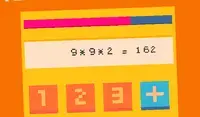
Click on the button between ADD and MULTIPLY to toggle between the two functions. The word that is lit up is the function you're using. This will help when you need to reach a big number!

Keep going until the timer runs out! The timer is in the bottom left corner of the screen. Each time you reach the goal number, you'll receive few more seconds on the timer.

आपका कैलकुलेटर अब अव्यवस्थित हो गया है! लक्ष्य अनुभाग में दी गई लक्षित संख्या तक जोड़ें। प्रत्येक राउंड में, आपके कैलकुलेटर पर संख्याएँ अपनी स्थिति बदलेंगी। ध्यान से सोचें: जब आप कोई संख्या चुनते हैं, तो आप केवल उस संख्या के आस-पास की संख्याओं का ही उपयोग कर पाएंगे!

जोड़ और गुणा के बीच वाले बटन पर क्लिक करके आप दोनों फ़ंक्शन के बीच स्विच कर सकते हैं। जो शब्द हाइलाइट होगा, वही फ़ंक्शन आप इस्तेमाल कर रहे हैं। यह तब काम आएगा जब आपको कोई बड़ी संख्या जोड़नी हो!

टाइमर खत्म होने तक खेलते रहिए! टाइमर स्क्रीन के निचले बाएँ कोने में है। हर बार लक्ष्य संख्या तक पहुँचने पर टाइमर में कुछ सेकंड और जुड़ जाएँगे।
शैली:
अद्यतन:
Sep 14, 2026
मुक्त करना:
Sep 14, 2026
कौशल:
Disciplinary Knowledge, Time Management
प्लेटफार्म:
Browser

निर्देश

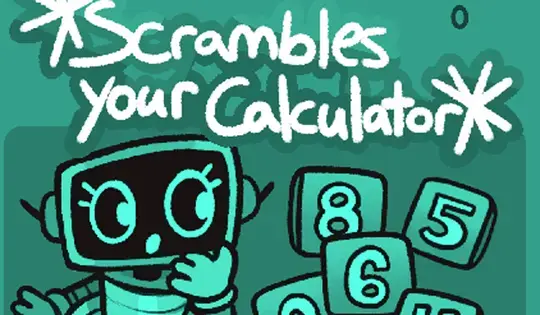
Your calculator just got scrambled! Add up to the target number listed in the goal section. Each round, the numbers on your calculator will change positions. Think carefully: when you select a number, you will only be able to use numbers adjacent to that number!

Click on the button between ADD and MULTIPLY to toggle between the two functions. The word that is lit up is the function you're using. This will help when you need to reach a big number!

Keep going until the timer runs out! The timer is in the bottom left corner of the screen. Each time you reach the goal number, you'll receive few more seconds on the timer.

आपका कैलकुलेटर अब अव्यवस्थित हो गया है! लक्ष्य अनुभाग में दी गई लक्षित संख्या तक जोड़ें। प्रत्येक राउंड में, आपके कैलकुलेटर पर संख्याएँ अपनी स्थिति बदलेंगी। ध्यान से सोचें: जब आप कोई संख्या चुनते हैं, तो आप केवल उस संख्या के आस-पास की संख्याओं का ही उपयोग कर पाएंगे!

जोड़ और गुणा के बीच वाले बटन पर क्लिक करके आप दोनों फ़ंक्शन के बीच स्विच कर सकते हैं। जो शब्द हाइलाइट होगा, वही फ़ंक्शन आप इस्तेमाल कर रहे हैं। यह तब काम आएगा जब आपको कोई बड़ी संख्या जोड़नी हो!

टाइमर खत्म होने तक खेलते रहिए! टाइमर स्क्रीन के निचले बाएँ कोने में है। हर बार लक्ष्य संख्या तक पहुँचने पर टाइमर में कुछ सेकंड और जुड़ जाएँगे।