Play *scrambles your calculator* online
15
 *scrambles your calculator* icon

*scrambles your calculator*
ジャンル:
更新しました:
Sep 14, 2026
リリース:
Sep 14, 2026
スキル:
Disciplinary Knowledge, Time Management
プラットフォーム:
Browser

指示

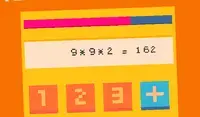
Your calculator just got scrambled! Add up to the target number listed in the goal section. Each round, the numbers on your calculator will change positions. Think carefully: when you select a number, you will only be able to use numbers adjacent to that number!

Click on the button between ADD and MULTIPLY to toggle between the two functions. The word that is lit up is the function you're using. This will help when you need to reach a big number!

Keep going until the timer runs out! The timer is in the bottom left corner of the screen. Each time you reach the goal number, you'll receive few more seconds on the timer.

電卓の表示がめちゃくちゃになりました!目標欄に記載されている目標値まで合計してください。ラウンドごとに、電卓の数字の位置が変わります。よく考えてください。数字を選ぶときは、その数字の隣の数字しか使えません!

「加算」と「乗算」の間にあるボタンをクリックすると、2つの関数を切り替えることができます。点灯している単語が、現在使用している関数です。これは、大きな数値を計算する際に役立ちます。

タイマーがゼロになるまで続けましょう!タイマーは画面左下隅にあります。目標の数字に到達するたびに、タイマーに数秒ずつ追加されます。
ゲームの進行状況

0 XP
ジャンル:
更新しました:
Sep 14, 2026
リリース:
Sep 14, 2026
スキル:
Disciplinary Knowledge, Time Management
プラットフォーム:
Browser

指示

Your calculator just got scrambled! Add up to the target number listed in the goal section. Each round, the numbers on your calculator will change positions. Think carefully: when you select a number, you will only be able to use numbers adjacent to that number!

Click on the button between ADD and MULTIPLY to toggle between the two functions. The word that is lit up is the function you're using. This will help when you need to reach a big number!

Keep going until the timer runs out! The timer is in the bottom left corner of the screen. Each time you reach the goal number, you'll receive few more seconds on the timer.

電卓の表示がめちゃくちゃになりました!目標欄に記載されている目標値まで合計してください。ラウンドごとに、電卓の数字の位置が変わります。よく考えてください。数字を選ぶときは、その数字の隣の数字しか使えません!

「加算」と「乗算」の間にあるボタンをクリックすると、2つの関数を切り替えることができます。点灯している単語が、現在使用している関数です。これは、大きな数値を計算する際に役立ちます。

タイマーがゼロになるまで続けましょう!タイマーは画面左下隅にあります。目標の数字に到達するたびに、タイマーに数秒ずつ追加されます。