







15
 Portal Hop icon

Portal Hop

Genere:
Aggiornato:
Jun 18, 2026
Pubblicazione:
Jun 18, 2026
Piattaforme:
Browser

Istruzioni

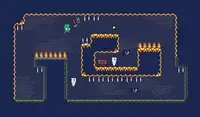
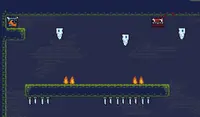
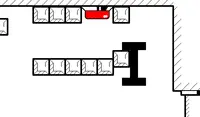
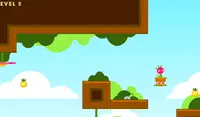
Use your portal to teleport! Use the Arrow Keys or WASD to move. There is a square portal above your head; press UP or W to teleport up. This will help you move between platforms to reach the goal! When your teleporter turns red, that means something is blocking you from teleporting.

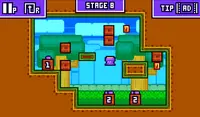
If you touch a plus icon, the portal above you will move higher. If you touch a minus icon, it will lower. Circular icons will disappear when you touch them. Square icons will always stay, so you can touch them multiple times to move your portal's position!

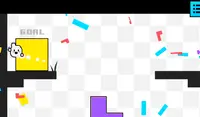
Some goals will be locked and require you to collect small, circular keys to power up the goal.

If you get stuck, press R to restart the level. If you're having trouble completing the level, click on the forward icon in the upper left corner of the screen to watch an ad and skip the level.

Usa il tuo portale per teletrasportarti! Usa i tasti freccia o WASD per muoverti. Sopra la tua testa c'è un portale quadrato; premi SU o W per teletrasportarti verso l'alto. Questo ti aiuterà a spostarti tra le piattaforme per raggiungere l'obiettivo! Quando il tuo teletrasporto diventa rosso, significa che qualcosa ti impedisce di teletrasportarti.

Se tocchi un'icona con il segno più, il portale sopra di te si sposterà verso l'alto. Se tocchi un'icona con il segno meno, si abbasserà. Le icone circolari scompariranno quando le tocchi. Le icone quadrate rimarranno sempre visibili, quindi puoi toccarle più volte per spostare la posizione del portale!

Alcuni obiettivi saranno bloccati e richiederanno la raccolta di piccole chiavi circolari per essere sbloccati.

Se rimani bloccato, premi R per riavviare il livello. Se hai difficoltà a completare il livello, clicca sull'icona di avanzamento nell'angolo in alto a sinistra dello schermo per guardare una pubblicità e saltare il livello.
Avanzamento del gioco

0 XP
Genere:
Aggiornato:
Jun 18, 2026
Pubblicazione:
Jun 18, 2026
Piattaforme:
Browser

Istruzioni

Use your portal to teleport! Use the Arrow Keys or WASD to move. There is a square portal above your head; press UP or W to teleport up. This will help you move between platforms to reach the goal! When your teleporter turns red, that means something is blocking you from teleporting.

If you touch a plus icon, the portal above you will move higher. If you touch a minus icon, it will lower. Circular icons will disappear when you touch them. Square icons will always stay, so you can touch them multiple times to move your portal's position!

Some goals will be locked and require you to collect small, circular keys to power up the goal.

If you get stuck, press R to restart the level. If you're having trouble completing the level, click on the forward icon in the upper left corner of the screen to watch an ad and skip the level.

Usa il tuo portale per teletrasportarti! Usa i tasti freccia o WASD per muoverti. Sopra la tua testa c'è un portale quadrato; premi SU o W per teletrasportarti verso l'alto. Questo ti aiuterà a spostarti tra le piattaforme per raggiungere l'obiettivo! Quando il tuo teletrasporto diventa rosso, significa che qualcosa ti impedisce di teletrasportarti.

Se tocchi un'icona con il segno più, il portale sopra di te si sposterà verso l'alto. Se tocchi un'icona con il segno meno, si abbasserà. Le icone circolari scompariranno quando le tocchi. Le icone quadrate rimarranno sempre visibili, quindi puoi toccarle più volte per spostare la posizione del portale!

Alcuni obiettivi saranno bloccati e richiederanno la raccolta di piccole chiavi circolari per essere sbloccati.

Se rimani bloccato, premi R per riavviare il livello. Se hai difficoltà a completare il livello, clicca sull'icona di avanzamento nell'angolo in alto a sinistra dello schermo per guardare una pubblicità e saltare il livello.