





Lo sentimos... este juego no se puede jugar en tu navegador.

Este juego Flash actualmente no se puede jugar en tu navegador, ¡pero estamos trabajando para solucionarlo! Vuelve regularmente para ver si está listo para jugar.
La mayoría de los navegadores ya no son compatibles con Flash. Los juegos afectados se indican mediante


Guarde sus favoritos
Inicia sesión para guardar todos tus juegos Coolmath favoritos.
Portal Hop
Contenido del juego revisado porAntonia Gates
Instrucciones
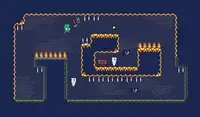
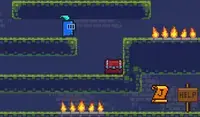
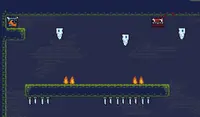
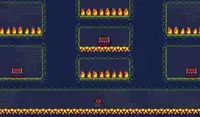
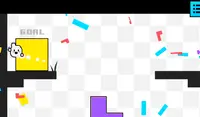
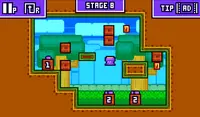
Use your portal to teleport! Use the Arrow Keys or WASD to move. There is a square portal above your head; press UP or W to teleport up. This will help you move between platforms to reach the goal! When your teleporter turns red, that means something is blocking you from teleporting.
If you touch a plus icon, the portal above you will move higher. If you touch a minus icon, it will lower. Circular icons will disappear when you touch them. Square icons will always stay, so you can touch them multiple times to move your portal's position!
Some goals will be locked and require you to collect small, circular keys to power up the goal.
If you get stuck, press R to restart the level. If you're having trouble completing the level, click on the forward icon in the upper left corner of the screen to watch an ad and skip the level.
¡Usa tu portal para teletransportarte! Usa las teclas de flecha o WASD para moverte. Hay un portal cuadrado sobre tu cabeza; presiona ARRIBA o W para teletransportarte hacia arriba. ¡Esto te ayudará a moverte entre plataformas para alcanzar tu objetivo! Cuando tu teletransportador se ponga rojo, significa que algo te impide teletransportarte.
Si tocas el icono de más (+), el portal que está encima de ti subirá. Si tocas el icono de menos (-), bajará. Los iconos circulares desaparecerán al tocarlos. Los iconos cuadrados siempre permanecerán, ¡así que puedes tocarlos varias veces para cambiar la posición del portal!
Algunos objetivos estarán bloqueados y requerirán que recojas pequeñas llaves circulares para desbloquearlos.
Si te quedas atascado, pulsa R para reiniciar el nivel. Si tienes problemas para completarlo, haz clic en el icono de avance en la esquina superior izquierda de la pantalla para ver un anuncio y saltarte el nivel.
Just a moment while your advertisement loads
Advertisement
Just a moment while your advertisement loads
Advertisement
Portal Hop
Contenido del juego revisado porAntonia Gates
Instrucciones
Use your portal to teleport! Use the Arrow Keys or WASD to move. There is a square portal above your head; press UP or W to teleport up. This will help you move between platforms to reach the goal! When your teleporter turns red, that means something is blocking you from teleporting.
If you touch a plus icon, the portal above you will move higher. If you touch a minus icon, it will lower. Circular icons will disappear when you touch them. Square icons will always stay, so you can touch them multiple times to move your portal's position!
Some goals will be locked and require you to collect small, circular keys to power up the goal.
If you get stuck, press R to restart the level. If you're having trouble completing the level, click on the forward icon in the upper left corner of the screen to watch an ad and skip the level.
¡Usa tu portal para teletransportarte! Usa las teclas de flecha o WASD para moverte. Hay un portal cuadrado sobre tu cabeza; presiona ARRIBA o W para teletransportarte hacia arriba. ¡Esto te ayudará a moverte entre plataformas para alcanzar tu objetivo! Cuando tu teletransportador se ponga rojo, significa que algo te impide teletransportarte.
Si tocas el icono de más (+), el portal que está encima de ti subirá. Si tocas el icono de menos (-), bajará. Los iconos circulares desaparecerán al tocarlos. Los iconos cuadrados siempre permanecerán, ¡así que puedes tocarlos varias veces para cambiar la posición del portal!
Algunos objetivos estarán bloqueados y requerirán que recojas pequeñas llaves circulares para desbloquearlos.
Si te quedas atascado, pulsa R para reiniciar el nivel. Si tienes problemas para completarlo, haz clic en el icono de avance en la esquina superior izquierda de la pantalla para ver un anuncio y saltarte el nivel.


