






Desculpe.. este jogo não pode ser reproduzido no seu navegador.

Este juego Flash actualmente no se puede jugar en tu navegador, ¡pero estamos trabajando para solucionarlo! Vuelve regularmente para ver si está listo para jugar.
A maioria dos navegadores não suporta mais Flash. Os jogos afetados são indicados por


Salve seus favoritos
Faça login para salvar todos os seus jogos Coolmath favoritos.
Portal Hop
Conteúdo do jogo revisado porAntonia Gates
Instruções
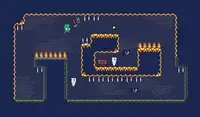
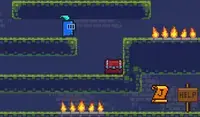
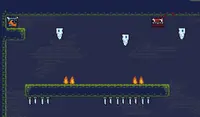
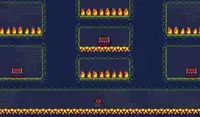
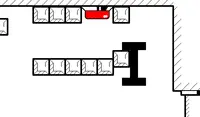
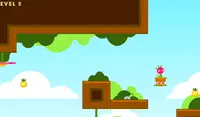
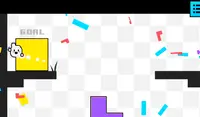
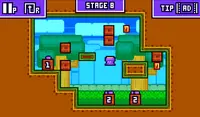
Use your portal to teleport! Use the Arrow Keys or WASD to move. There is a square portal above your head; press UP or W to teleport up. This will help you move between platforms to reach the goal! When your teleporter turns red, that means something is blocking you from teleporting.
If you touch a plus icon, the portal above you will move higher. If you touch a minus icon, it will lower. Circular icons will disappear when you touch them. Square icons will always stay, so you can touch them multiple times to move your portal's position!
Some goals will be locked and require you to collect small, circular keys to power up the goal.
If you get stuck, press R to restart the level. If you're having trouble completing the level, click on the forward icon in the upper left corner of the screen to watch an ad and skip the level.
Use seu portal para se teletransportar! Use as setas do teclado ou WASD para se mover. Há um portal quadrado acima da sua cabeça; pressione CIMA ou W para se teletransportar para cima. Isso ajudará você a se mover entre as plataformas para alcançar o objetivo! Quando seu teletransportador ficar vermelho, significa que algo está bloqueando seu teletransporte.
Ao tocar em um ícone de mais (+), o portal acima de você subirá. Ao tocar em um ícone de menos (-), ele descerá. Ícones circulares desaparecem ao serem tocados. Ícones quadrados permanecem sempre visíveis, permitindo que você os toque várias vezes para mover a posição do portal.
Alguns objetivos estarão bloqueados e exigirão que você colete pequenas chaves circulares para ativá-los.
Se você ficar preso, pressione R para reiniciar a fase. Se estiver com dificuldades para concluir a fase, clique no ícone de avançar no canto superior esquerdo da tela para assistir a um anúncio e pular a fase.
Just a moment while your advertisement loads
Propaganda
Just a moment while your advertisement loads
Propaganda
Portal Hop
Conteúdo do jogo revisado porAntonia Gates
Instruções
Use your portal to teleport! Use the Arrow Keys or WASD to move. There is a square portal above your head; press UP or W to teleport up. This will help you move between platforms to reach the goal! When your teleporter turns red, that means something is blocking you from teleporting.
If you touch a plus icon, the portal above you will move higher. If you touch a minus icon, it will lower. Circular icons will disappear when you touch them. Square icons will always stay, so you can touch them multiple times to move your portal's position!
Some goals will be locked and require you to collect small, circular keys to power up the goal.
If you get stuck, press R to restart the level. If you're having trouble completing the level, click on the forward icon in the upper left corner of the screen to watch an ad and skip the level.
Use seu portal para se teletransportar! Use as setas do teclado ou WASD para se mover. Há um portal quadrado acima da sua cabeça; pressione CIMA ou W para se teletransportar para cima. Isso ajudará você a se mover entre as plataformas para alcançar o objetivo! Quando seu teletransportador ficar vermelho, significa que algo está bloqueando seu teletransporte.
Ao tocar em um ícone de mais (+), o portal acima de você subirá. Ao tocar em um ícone de menos (-), ele descerá. Ícones circulares desaparecem ao serem tocados. Ícones quadrados permanecem sempre visíveis, permitindo que você os toque várias vezes para mover a posição do portal.
Alguns objetivos estarão bloqueados e exigirão que você colete pequenas chaves circulares para ativá-los.
Se você ficar preso, pressione R para reiniciar a fase. Se estiver com dificuldades para concluir a fase, clique no ícone de avançar no canto superior esquerdo da tela para assistir a um anúncio e pular a fase.


