













Color Cube












 4.1 / 5(3,362 Votes)
Instructions
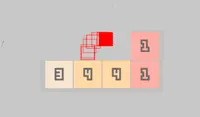
Use the on-screen buttons to roll your stamp over. Your goal is to land the colored side of the stamp facing down onto each of the marked tiles. Some stamps also have a black side, which will pick up any color that it touches and remove it from the board.
Roll your way around the board to get all the tiles colored in!
Use the Arrow Keys to roll your stamp over. Your goal is to land the colored side of the stamp facing down onto each of the marked tiles. Some stamps also have a black side, which will pick up any color that it touches and remove it from the board.
Roll your way around the board to get all the tiles colored in!
How to play Color Cube on your phone
Did you know you can also play Color Cube on your phone? It’s a great way to play without worrying about losing your save data.
For iOS devices, simply tap the "Share" icon  in Safari and select "Add to Home Screen". For Android devices, tap the “Menu” icon
  and select "Install App".

Game Progress

 4.1 / 5(3,362 Votes)
Instructions
Use the on-screen buttons to roll your stamp over. Your goal is to land the colored side of the stamp facing down onto each of the marked tiles. Some stamps also have a black side, which will pick up any color that it touches and remove it from the board.
Roll your way around the board to get all the tiles colored in!
How to play Color Cube on your phone
To play Color Cube easily any time, you can add it directly to your phone as an app. It’s a great way to play without worrying about losing your game save data.
For iOS devices, simply tap the "Share" icon in Safari and select "Add to Home Screen". For Android devices, tap the “Menu” icon and select "Install App".
Votes