












Flipfox



 3.7 / 5(653 Votes)
Instructions
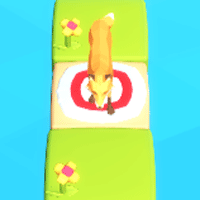
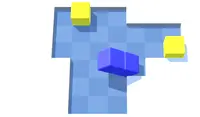
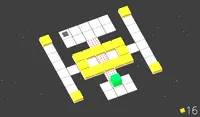
This fox is hunting for a target to land on! Use the D-pad to move. Your goal is to make every tile green, collect the yellow gem, and reach the target in as few moves as possible!
When you walk on a ground tile, the surface will change. If you walk on a yellow tile, it'll turn green! If you walk on a green tile, it will turn yellow.
In the top right corner of the screen, you will see a Move counter. You'll need to reach the target in that amount of moves, or it's game over! If you want to restart the level, tap the double arrow button at the top of the screen.
If you're having trouble viewing the level, you can tap on the Camera icon at the top of the screen to get a different view.
This fox is hunting for a target to land on! Use the Arrow Keys or WASD to move. Your goal is to make every tile green, collect the yellow gem, and reach the target in as few moves as possible!
When you walk on a ground tile, the surface will change. If you walk on a yellow tile, it'll turn green! If you walk on a green tile, it will turn yellow.
In the top right corner of the screen, you will see a Move counter. You'll need to reach the target in that amount of moves, or it's game over! If you want to restart the level, press R.
If you're having trouble viewing the level, you can click on the Camera icon at the top of the screen to get a different view.
How to play Flipfox on your phone
Did you know you can also play Flipfox on your phone? It’s a great way to play without worrying about losing your save data.
For iOS devices, simply tap the "Share" icon  in Safari and select "Add to Home Screen". For Android devices, tap the “Menu” icon
  and select "Install App".

Game Progress

 3.7 / 5(653 Votes)
Instructions
This fox is hunting for a target to land on! Use the D-pad to move. Your goal is to make every tile green, collect the yellow gem, and reach the target in as few moves as possible!
When you walk on a ground tile, the surface will change. If you walk on a yellow tile, it'll turn green! If you walk on a green tile, it will turn yellow.
In the top right corner of the screen, you will see a Move counter. You'll need to reach the target in that amount of moves, or it's game over! If you want to restart the level, tap the double arrow button at the top of the screen.
If you're having trouble viewing the level, you can tap on the Camera icon at the top of the screen to get a different view.
How to play Flipfox on your phone
To play Flipfox easily any time, you can add it directly to your phone as an app. It’s a great way to play without worrying about losing your game save data.
For iOS devices, simply tap the "Share" icon in Safari and select "Add to Home Screen". For Android devices, tap the “Menu” icon and select "Install App".
Votes