












Kitsu






 3.7 / 5(1,968 Votes)
Instructions
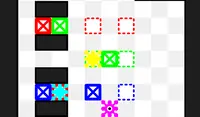
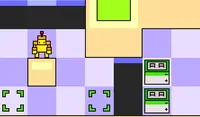
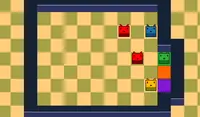
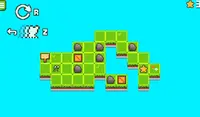
Move with the on-screen buttons. Hold X to restart. To copy a block, press "O" to switch to "Copy Mode." While in this mode, use the Arrow Keys to highlight an adjacent block. When you've highlighted the block you want to copy, press "O" again to change your character into that block. If you have formed a line of three or more blocks, those blocks will be destroyed.
TIP: Think carefully about which blocks to destroy first, because you could get stuck.
Move with the Arrow Keys. Hold X to restart. To copy a block, press Z to switch to "Copy Mode." While in this mode, use the Arrow Keys to highlight an adjacent block. When you've highlighted the block you want to copy, press Z again to change your character into that block. If you have formed a line of three or more blocks, those blocks will be destroyed.
TIP: Think carefully about which blocks to destroy first, because you could get stuck.
How to play Kitsu on your phone
Did you know you can also play Kitsu on your phone? It’s a great way to play without worrying about losing your save data.
For iOS devices, simply tap the "Share" icon  in Safari and select "Add to Home Screen". For Android devices, tap the “Menu” icon
  and select "Install App".

Game Progress

 3.7 / 5(1,968 Votes)
Instructions
Move with the on-screen buttons. Hold X to restart. To copy a block, press "O" to switch to "Copy Mode." While in this mode, use the Arrow Keys to highlight an adjacent block. When you've highlighted the block you want to copy, press "O" again to change your character into that block. If you have formed a line of three or more blocks, those blocks will be destroyed.
TIP: Think carefully about which blocks to destroy first, because you could get stuck.
How to play Kitsu on your phone
To play Kitsu easily any time, you can add it directly to your phone as an app. It’s a great way to play without worrying about losing your game save data.
For iOS devices, simply tap the "Share" icon in Safari and select "Add to Home Screen". For Android devices, tap the “Menu” icon and select "Install App".
Votes