













Living Cannon DX










 4.6 / 5(1,810 Votes)
Instructions
Move with the onscreen buttons. Your goal is to gather all the coins in each level.
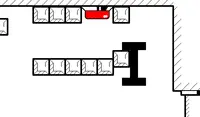
Brown boxes may block your path to the coins. If so, find and collect cannonballs and load them into your giant cannonball head. Tap the onscreen buttons to fire. You only have a limited number of shots, indicated by the number on top of your head. Since your cannonballs only fire directly upwards, stand directly under the boxes when you shoot them.
Look out for moving platforms — they will crush you if you aren't careful!
In later levels, you'll encounter enemies. Jumping on them won't work, so just avoid them.
If you're stuck, you can watch an ad to show the solution!
Your goal is to gather all the coins in each level. Move with WASD or the Arrow Keys.
Brown boxes may block your path to the coins. If so, find and collect cannonballs and load them into your giant cannonball head. Press Space, U, C, or O to fire. You only have a limited number of shots, indicated by the number on top of your head. Since your cannonballs only fire directly upwards, stand directly under the boxes when you shoot them.
Look out for moving platforms — they will crush you if you aren't careful!
In later levels, you'll encounter enemies. Jumping on them won't work, so just avoid them.
If you're stuck, you can watch an ad to show the solution!
How to play Living Cannon DX on your phone
Did you know you can also play Living Cannon DX on your phone? It’s a great way to play without worrying about losing your save data.
For iOS devices, simply tap the "Share" icon  in Safari and select "Add to Home Screen". For Android devices, tap the “Menu” icon
  and select "Install App".

Game Progress

 4.6 / 5(1,810 Votes)
Instructions
Move with the onscreen buttons. Your goal is to gather all the coins in each level.
Brown boxes may block your path to the coins. If so, find and collect cannonballs and load them into your giant cannonball head. Tap the onscreen buttons to fire. You only have a limited number of shots, indicated by the number on top of your head. Since your cannonballs only fire directly upwards, stand directly under the boxes when you shoot them.
Look out for moving platforms — they will crush you if you aren't careful!
In later levels, you'll encounter enemies. Jumping on them won't work, so just avoid them.
If you're stuck, you can watch an ad to show the solution!
How to play Living Cannon DX on your phone
To play Living Cannon DX easily any time, you can add it directly to your phone as an app. It’s a great way to play without worrying about losing your game save data.
For iOS devices, simply tap the "Share" icon in Safari and select "Add to Home Screen". For Android devices, tap the “Menu” icon and select "Install App".
Votes