






Swivix







Instructions
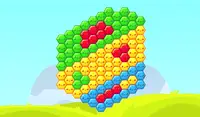
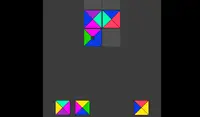
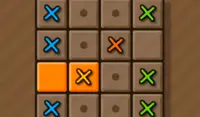
Your goal is to remove blocks by forming the shapes indicated at the top of the screen. The shapes will be squares, or vertical/horizontal lines. Each shape is made of smaller blocks. Tap the "Rotate" icons on the corners of blocks to rotate the positions of four blocks. If you get stuck, tap the button at the bottom of the screen to shuffle the board. Keep moving the blocks until the target number of blocks is reached. Don't take too long though --- some levels will have a time limit.
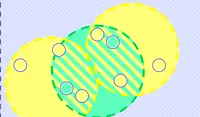
In later levels, you'll need to form shapes where every block is the same color, matching the target colors shown below the target shapes. Some levels require removing only blocks with small circles on them, which will require a change of strategy.
Your goal is to remove blocks by forming the shapes indicated at the top of the screen. The shapes will be squares, or vertical/horizontal lines. Each shape is made of smaller blocks. Click the "Rotate" icons on the corners of blocks to rotate the positions of four blocks. If you get stuck, click the button at the bottom of the screen to shuffle the board. Keep moving the blocks until the target number of blocks is reached. Don't take too long though --- some levels will have a time limit.
In later levels, you'll need to form shapes where every block is the same color, matching the target colors shown below the target shapes. Some levels require removing only blocks with small circles on them, which will require a change of strategy.
How to play Swivix on your phone
Did you know you can also play Swivix on your phone? It’s a great way to play without worrying about losing your save data.
For iOS devices, simply tap the "Share" icon  in Safari and select "Add to Home Screen". For Android devices, tap the “Menu” icon
 and select "Install App".

Instructions
Your goal is to remove blocks by forming the shapes indicated at the top of the screen. The shapes will be squares, or vertical/horizontal lines. Each shape is made of smaller blocks. Tap the "Rotate" icons on the corners of blocks to rotate the positions of four blocks. If you get stuck, tap the button at the bottom of the screen to shuffle the board. Keep moving the blocks until the target number of blocks is reached. Don't take too long though --- some levels will have a time limit.
In later levels, you'll need to form shapes where every block is the same color, matching the target colors shown below the target shapes. Some levels require removing only blocks with small circles on them, which will require a change of strategy.
How to play Swivix on your phone
To play Swivix easily any time, you can add it directly to your phone as an app. It’s a great way to play without worrying about losing your game save data.
For iOS devices, simply tap the "Share" icon in Safari and select "Add to Home Screen". For Android devices, tap the “Menu” icon and select "Install App".