






Bloku




 4.5 / 5(650 Votes)
Instructions
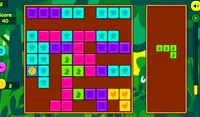
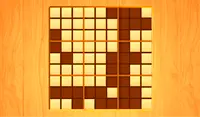
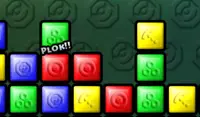
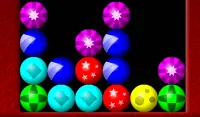
You're not placing, you're destroying! At the top of the grid are three shapes. You need to draw one of these shapes on the grid to remove blocks. Tap on a block in the grid and drag to make the shape. There are two different modes you can play:
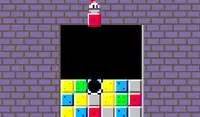
- Classic: Each time you draw a shape and destroy a set of blocks, a new line of blocks will appear from the bottom of the grid and move everything up. Make sure the blocks don't reach the top of the grid!
- Static: The grid starts filled with blocks! After you clear a row, a new row of blocks will appear from the top of the grid. Keep making shapes and destroying blocks. Once you are unable to draw any of the three shapes at the top, it's game over.
You can clear out a row by tapping on the power-up on the right side of the screen. Once you use it, you'll have to clear out shapes on your own for a bit before you can use it again. As you clear shapes, the circle around the power-up will show you how close you are to using it again.
You're not placing, you're destroying! At the top of the grid are three shapes. You need to draw one of these shapes on the grid to remove blocks. Click on a block in the grid and drag to make the shape. There are two different modes you can play:
- Classic: Each time you draw a shape and destroy a set of blocks, a new line of blocks will appear from the bottom of the grid and move everything up. Make sure the blocks don't reach the top of the grid!
- Static: The grid starts filled with blocks! After you clear a row, a new row of blocks will appear from the top of the grid. Keep making shapes and destroying blocks. Once you are unable to draw any of the three shapes at the top, it's game over.
You can clear out a row by clicking on the power-up on the right side of the screen. Once you use it, you'll have to clear out shapes on your own for a bit before you can use it again. As you clear shapes, the circle around the power-up will show you how close you are to using it again.
How to play Bloku on your phone
Did you know you can also play Bloku on your phone? It’s a great way to play without worrying about losing your save data.
For iOS devices, simply tap the "Share" icon  in Safari and select "Add to Home Screen". For Android devices, tap the “Menu” icon
 and select "Install App".

Game Progress

 4.5 / 5(650 Votes)
Instructions
You're not placing, you're destroying! At the top of the grid are three shapes. You need to draw one of these shapes on the grid to remove blocks. Tap on a block in the grid and drag to make the shape. There are two different modes you can play:
- Classic: Each time you draw a shape and destroy a set of blocks, a new line of blocks will appear from the bottom of the grid and move everything up. Make sure the blocks don't reach the top of the grid!
- Static: The grid starts filled with blocks! After you clear a row, a new row of blocks will appear from the top of the grid. Keep making shapes and destroying blocks. Once you are unable to draw any of the three shapes at the top, it's game over.
You can clear out a row by tapping on the power-up on the right side of the screen. Once you use it, you'll have to clear out shapes on your own for a bit before you can use it again. As you clear shapes, the circle around the power-up will show you how close you are to using it again.
How to play Bloku on your phone
To play Bloku easily any time, you can add it directly to your phone as an app. It’s a great way to play without worrying about losing your game save data.
For iOS devices, simply tap the "Share" icon in Safari and select "Add to Home Screen". For Android devices, tap the “Menu” icon and select "Install App".
Votes