










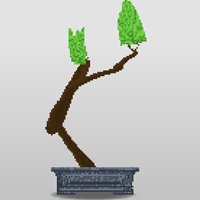


Bonsai Builder
You'll Also Like














Instructions
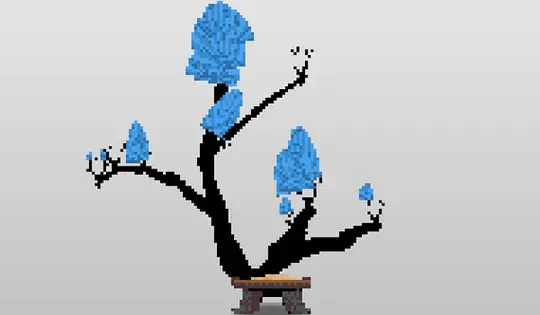
Tap and drag from the base of the vase to start growing your bonsai. The bonsai branch will grow toward where you tap. You can change the color of its leaves using the color palette on the right side.
You have three tools to take care of your bonsai: the trimmer on the bottom of the menu trims the leaves, the pliers cut small bumps and branches, and the large scissors on top cut big branches. Tap and drag a tool toward the tree to use it.
Stay calm and watch your bonsai grow.
Click and drag from the base of the vase to start growing your bonsai. The bonsai branch will grow toward where you click. You can change the color of its leaves using the color palette on the right side.
You have three tools to take care of your bonsai: the trimmer on the bottom of the menu trims the leaves, the pliers cut small bumps and branches, and the large scissors on top cut big branches. Click and drag a tool toward the tree to use it.
Stay calm and watch your bonsai grow.
How to play Bonsai Builder on your phone
Did you know you can also play Bonsai Builder on your phone? It’s a great way to play without worrying about losing your save data.
For iOS devices, simply tap the "Share" icon  in Safari and select "Add to Home Screen". For Android devices, tap the “Menu” icon
  and select "Install App".
Game Progress


You'll Also Like
Instructions
Tap and drag from the base of the vase to start growing your bonsai. The bonsai branch will grow toward where you tap. You can change the color of its leaves using the color palette on the right side.
You have three tools to take care of your bonsai: the trimmer on the bottom of the menu trims the leaves, the pliers cut small bumps and branches, and the large scissors on top cut big branches. Tap and drag a tool toward the tree to use it.
Stay calm and watch your bonsai grow.
How to play Bonsai Builder on your phone
To play Bonsai Builder easily any time, you can add it directly to your phone as an app. It’s a great way to play without worrying about losing your game save data.
For iOS devices, simply tap the "Share" icon in Safari and select "Add to Home Screen". For Android devices, tap the “Menu” icon and select "Install App".

Votes