








Crossmath



Anweisungen
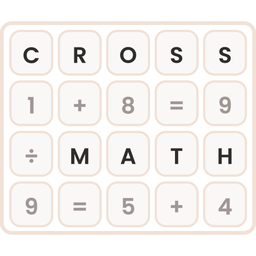
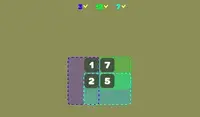
Your goal is to fill in the blank spaces on the grid with the correct numbers. Click and drag the number tiles from the tray at the bottom into the empty boxes on the grid. Every number you drag onto has to make the equations correct in all directions.
When an equation is correct, its boxes turn green. If it's incorrect, the boxes turn red. Click a number on the grid to send it back to the tray.
If you get stuck, click the lightbulb for a hint. It lights up the right tile and the box where it goes. You can also use the Undo button to take back a move, or the Restart button to start the puzzle over.
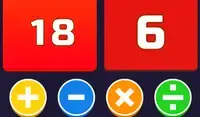
There are four level packs to choose from:
- Addition
- Subtraction
- Multiplication
- Division
Can you solve every problem in every pack?
Your goal is to fill in the blank spaces on the grid with the correct numbers. Click and drag the number tiles from the tray at the bottom into the empty boxes on the grid. Every number you drag onto has to make the equations correct in all directions.
When an equation is correct, its boxes turn green. If it's incorrect, the boxes turn red. Click a number on the grid to send it back to the tray.
If you get stuck, click the lightbulb for a hint. It lights up the right tile and the box where it should go. You can also click on a number on the grid to return it to the tray, or click the Undo button to undo your last action. If you want to clear everything from the grid, click the Restart button.
There are four level packs to choose from:
- Addition: only includes addition problems
- Subtraction: includes addition and subtraction
- Multiplication: includes addition, subtraction, and multiplication
- Division: includes all four operations
So spielen Sie Crossmath auf Ihrem Handy
Wussten Sie, dass Sie Crossmath auch auf Ihrem Handy spielen können? Es ist eine großartige Möglichkeit zu spielen, ohne sich Gedanken über den Verlust Ihrer gespeicherten Daten machen zu müssen.
Tippen Sie bei iOS-Geräten einfach auf das Symbol "Aktie"  in Safari und wählen Sie "Zum Startbildschirm hinzufügen". Tippen Sie bei Android-Geräten auf das Symbol "Menü"
 und wählen Sie "App installieren“"
Spielfortschritt


Anweisungen
Your goal is to fill in the blank spaces on the grid with the correct numbers. Click and drag the number tiles from the tray at the bottom into the empty boxes on the grid. Every number you drag onto has to make the equations correct in all directions.
When an equation is correct, its boxes turn green. If it's incorrect, the boxes turn red. Click a number on the grid to send it back to the tray.
If you get stuck, click the lightbulb for a hint. It lights up the right tile and the box where it goes. You can also use the Undo button to take back a move, or the Restart button to start the puzzle over.
There are four level packs to choose from:
- Addition
- Subtraction
- Multiplication
- Division
Can you solve every problem in every pack?
So spielen Sie Crossmath auf Ihrem Handy
Um Crossmath jederzeit einfach zu spielen, können Sie es direkt als App zu Ihrem Telefon hinzufügen. Es ist eine großartige Möglichkeit zu spielen, ohne sich Gedanken über den Verlust Ihrer Spielspeicherdaten machen zu müssen.
Tippen Sie bei iOS-Geräten einfach auf das Symbol "Aktie" in Safari und wählen Sie "Zum Startbildschirm hinzufügen". Tippen Sie bei Android-Geräten auf das Symbol "Menü" und wählen Sie "App installieren".