








Crossmath




Instructions
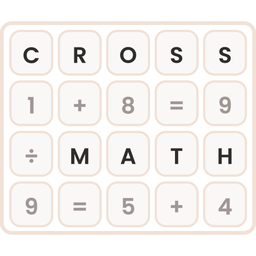
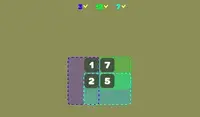
Your goal is to fill in the blank spaces on the grid with the correct numbers. Click and drag the number tiles from the tray at the bottom into the empty boxes on the grid. Every number you drag onto has to make the equations correct in all directions.
When an equation is correct, its boxes turn green. If it's incorrect, the boxes turn red. Click a number on the grid to send it back to the tray.
If you get stuck, click the lightbulb for a hint. It lights up the right tile and the box where it goes. You can also use the Undo button to take back a move, or the Restart button to start the puzzle over.
There are four level packs to choose from:
- Addition
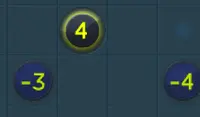
- Subtraction
- Multiplication
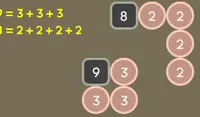
- Division
Can you solve every problem in every pack?
Your goal is to fill in the blank spaces on the grid with the correct numbers. Click and drag the number tiles from the tray at the bottom into the empty boxes on the grid. Every number you drag onto has to make the equations correct in all directions.
When an equation is correct, its boxes turn green. If it's incorrect, the boxes turn red. Click a number on the grid to send it back to the tray.
If you get stuck, click the lightbulb for a hint. It lights up the right tile and the box where it goes. You can also use the Undo button to take back a move, or the Restart button to start the puzzle over.
There are four level packs to choose from:
- Addition
- Subtraction
- Multiplication
- Division
Can you solve every problem in every pack?
How to play Crossmath on your phone
Did you know you can also play Crossmath on your phone? It’s a great way to play without worrying about losing your save data.
For iOS devices, simply tap the "Share" icon  in Safari and select "Add to Home Screen". For Android devices, tap the “Menu” icon
 and select "Install App".
Game Progress


Instructions
Your goal is to fill in the blank spaces on the grid with the correct numbers. Click and drag the number tiles from the tray at the bottom into the empty boxes on the grid. Every number you drag onto has to make the equations correct in all directions.
When an equation is correct, its boxes turn green. If it's incorrect, the boxes turn red. Click a number on the grid to send it back to the tray.
If you get stuck, click the lightbulb for a hint. It lights up the right tile and the box where it goes. You can also use the Undo button to take back a move, or the Restart button to start the puzzle over.
There are four level packs to choose from:
- Addition
- Subtraction
- Multiplication
- Division
Can you solve every problem in every pack?
How to play Crossmath on your phone
To play Crossmath easily any time, you can add it directly to your phone as an app. It’s a great way to play without worrying about losing your game save data.
For iOS devices, simply tap the "Share" icon in Safari and select "Add to Home Screen". For Android devices, tap the “Menu” icon and select "Install App".