








Crossmath



Instrucciones
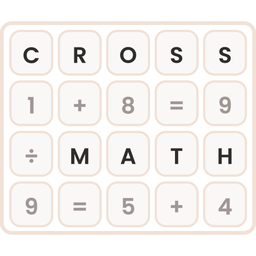
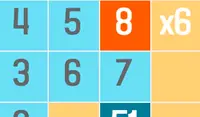
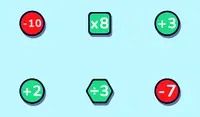
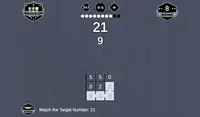
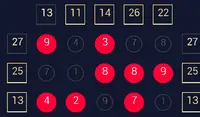
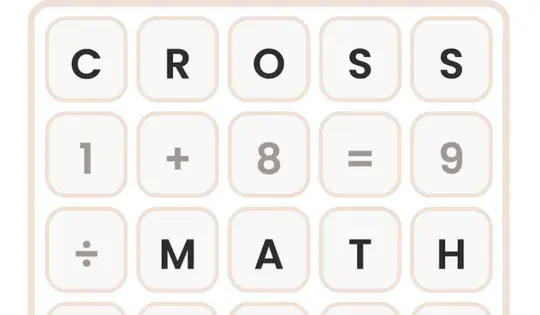
Your goal is to fill in the blank spaces on the grid with the correct numbers. Click and drag the number tiles from the tray at the bottom into the empty boxes on the grid. Every number you drag onto has to make the equations correct in all directions.
When an equation is correct, its boxes turn green. If it's incorrect, the boxes turn red. Click a number on the grid to send it back to the tray.
If you get stuck, click the lightbulb for a hint. It lights up the right tile and the box where it goes. You can also use the Undo button to take back a move, or the Restart button to start the puzzle over.
There are four level packs to choose from:
- Addition
- Subtraction
- Multiplication
- Division
Can you solve every problem in every pack?
Your goal is to fill in the blank spaces on the grid with the correct numbers. Click and drag the number tiles from the tray at the bottom into the empty boxes on the grid. Every number you drag onto has to make the equations correct in all directions.
When an equation is correct, its boxes turn green. If it's incorrect, the boxes turn red. Click a number on the grid to send it back to the tray.
If you get stuck, click the lightbulb for a hint. It lights up the right tile and the box where it goes. You can also use the Undo button to take back a move, or the Restart button to start the puzzle over.
There are four level packs to choose from:
- Addition
- Subtraction
- Multiplication
- Division
Can you solve every problem in every pack?
CÓMO JUGAR Crossmath en tu teléfono
¿Sabías que también puedes jugar Crossmath en tu teléfono? Es una excelente manera de jugar sin preocuparse por perder sus datos guardados.
Para dispositivos iOS, simplemente toque el ícono "Compartir"  en Safari y seleccione "Agregar a la pantalla de inicio". Para dispositivos Android, toque el icono "Menú"
 y seleccione "Instalar aplicación".
Progreso del juego


Instrucciones
Your goal is to fill in the blank spaces on the grid with the correct numbers. Click and drag the number tiles from the tray at the bottom into the empty boxes on the grid. Every number you drag onto has to make the equations correct in all directions.
When an equation is correct, its boxes turn green. If it's incorrect, the boxes turn red. Click a number on the grid to send it back to the tray.
If you get stuck, click the lightbulb for a hint. It lights up the right tile and the box where it goes. You can also use the Undo button to take back a move, or the Restart button to start the puzzle over.
There are four level packs to choose from:
- Addition
- Subtraction
- Multiplication
- Division
Can you solve every problem in every pack?
CÓMO JUGAR Crossmath en tu teléfono
Para jugar Crossmath fácilmente en cualquier momento, puede agregarlo directamente a su teléfono como una aplicación. Es una excelente manera de jugar sin preocuparse por perder los datos guardados del juego.
Para dispositivos iOS, simplemente toque el ícono "Compartir" en Safari y seleccione "Agregar a la pantalla de inicio". Para dispositivos Android, toque el icono "Menú" y seleccione "Instalar aplicación".